> ## Documentation Index
> Fetch the complete documentation index at: https://www.outx.ai/docs/llms.txt
> Use this file to discover all available pages before exploring further.
# Get Started in 10 Minutes
> Export LinkedIn search results into clean, usable lead data with OutX.ai. Quick start guide for Sales Navigator and People Search exports.
## **Why Use Data Export?**
Finding the right people on LinkedIn is easy, but turning searches into usable data is slow and manual.
Data Export helps you move faster from LinkedIn search results to outreach-ready lists.
***
## **How OutX.ai Helps with Data Export**
OutX.ai extracts structured profile data directly from LinkedIn searches.
You get clean lists that can be enriched, filtered, and exported-ready for sales or recruiting workflows.
***
## **Choose How You Want to Export Data**
OutX.ai supports **two ways to export LinkedIn data**.
Choose the one that fits how you search on LinkedIn.
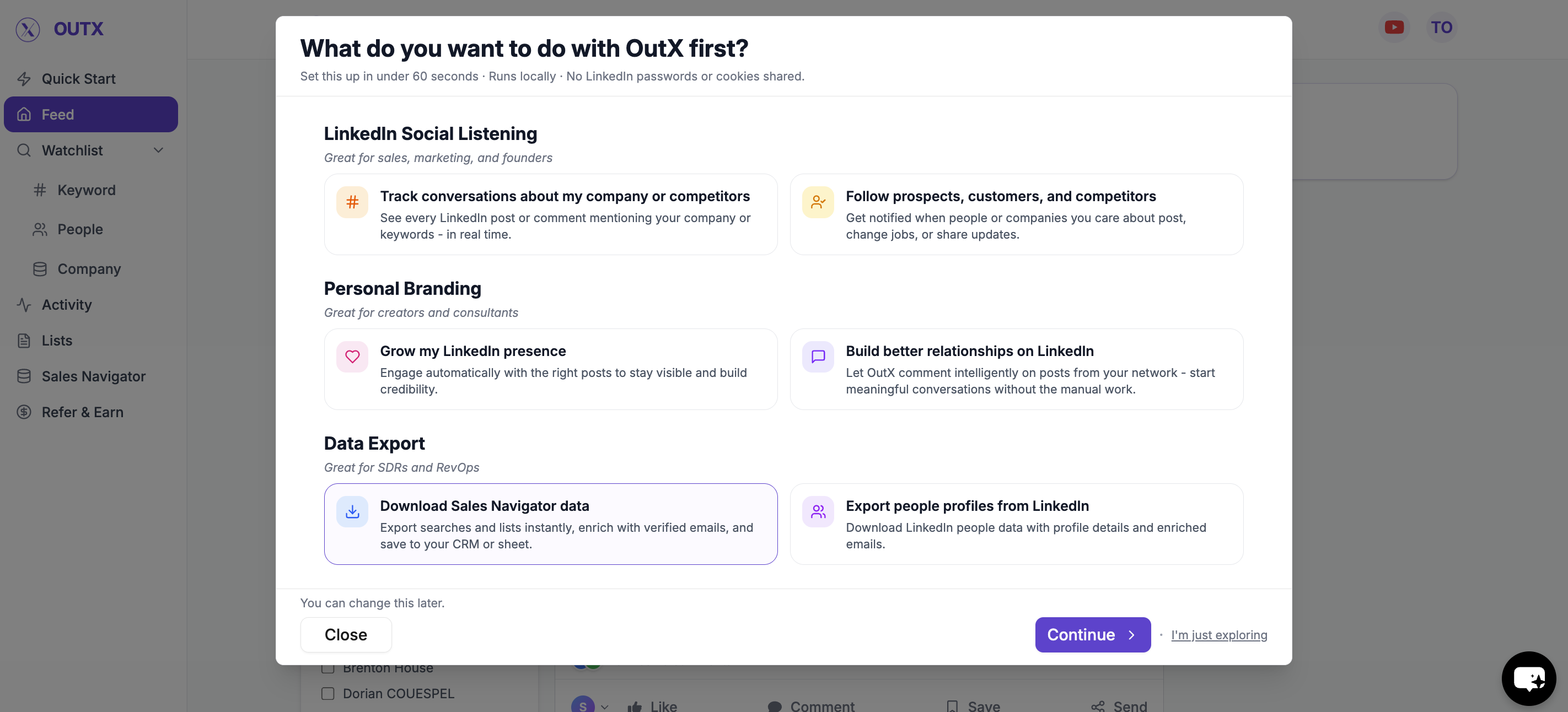 ***
## **Option 1: Download Sales Navigator data**
Use this when you already rely on **LinkedIn Sales Navigator** for prospecting.
### **What this is best for**
* Advanced filters and ICP targeting
* Account-based or role-based searches
* High-quality outbound lists
***
### **How to download via Sales Navigator**
1. Open a **Sales Navigator search**
2. Paste the search URL into OutX.ai
3. Review the number of profiles detected
4. Start the export
OutX.ai pulls profiles from the search and saves them into a list.
You can export large result sets in one go.
***
## **Option 2: Export from LinkedIn People Search**
Use this when you don't use Sales Navigator and rely on **standard LinkedIn search**.
### **What this is best for**
* Simple people searches
* Smaller, focused lists
* Quick exports without Sales Navigator
***
## **Option 1: Download Sales Navigator data**
Use this when you already rely on **LinkedIn Sales Navigator** for prospecting.
### **What this is best for**
* Advanced filters and ICP targeting
* Account-based or role-based searches
* High-quality outbound lists
***
### **How to download via Sales Navigator**
1. Open a **Sales Navigator search**
2. Paste the search URL into OutX.ai
3. Review the number of profiles detected
4. Start the export
OutX.ai pulls profiles from the search and saves them into a list.
You can export large result sets in one go.
***
## **Option 2: Export from LinkedIn People Search**
Use this when you don't use Sales Navigator and rely on **standard LinkedIn search**.
### **What this is best for**
* Simple people searches
* Smaller, focused lists
* Quick exports without Sales Navigator
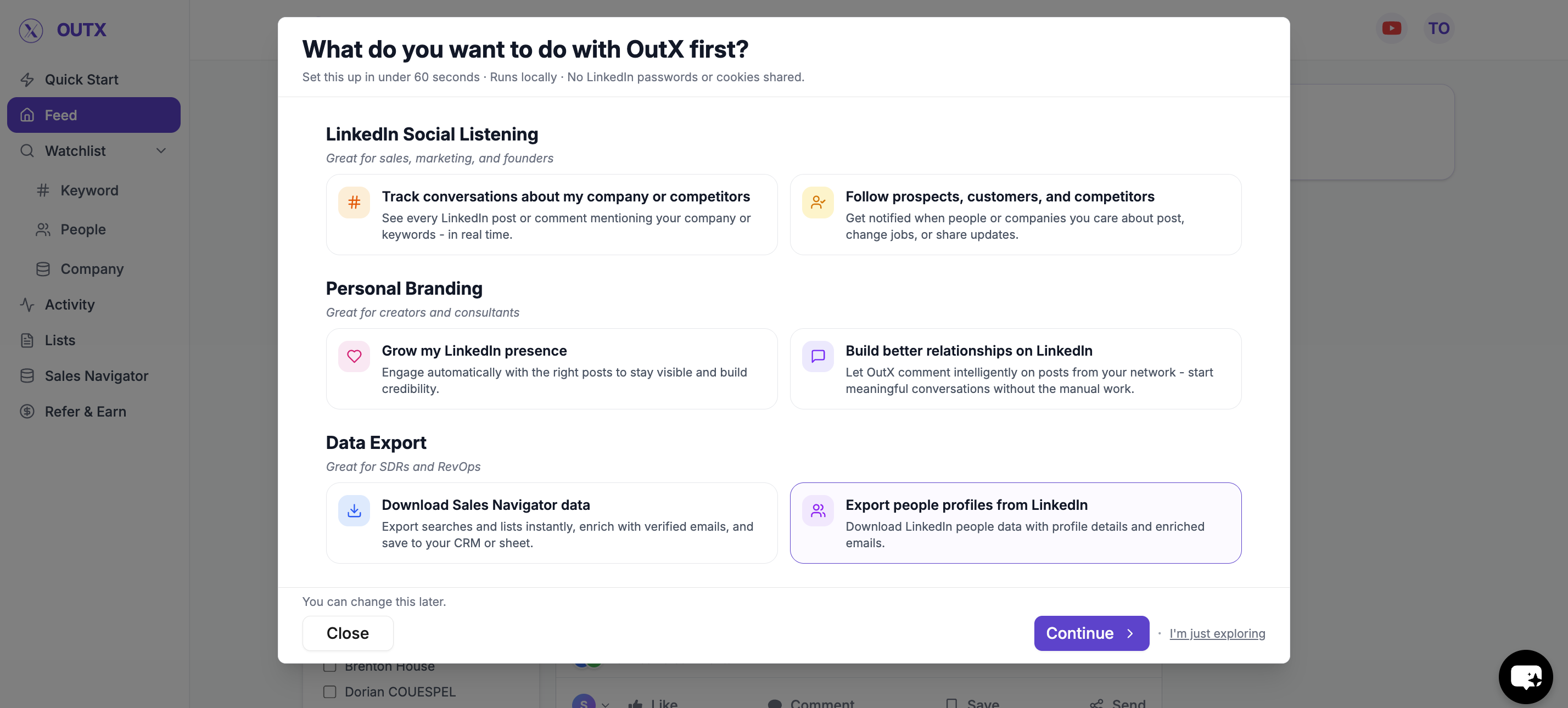 ***
### **How to Export via People Search**
1. Run a **LinkedIn People Search**
2. Copy the search URL
3. Paste it into OutX.ai
4. Start the export
OutX.ai extracts all visible profiles and stores them in a list.
***
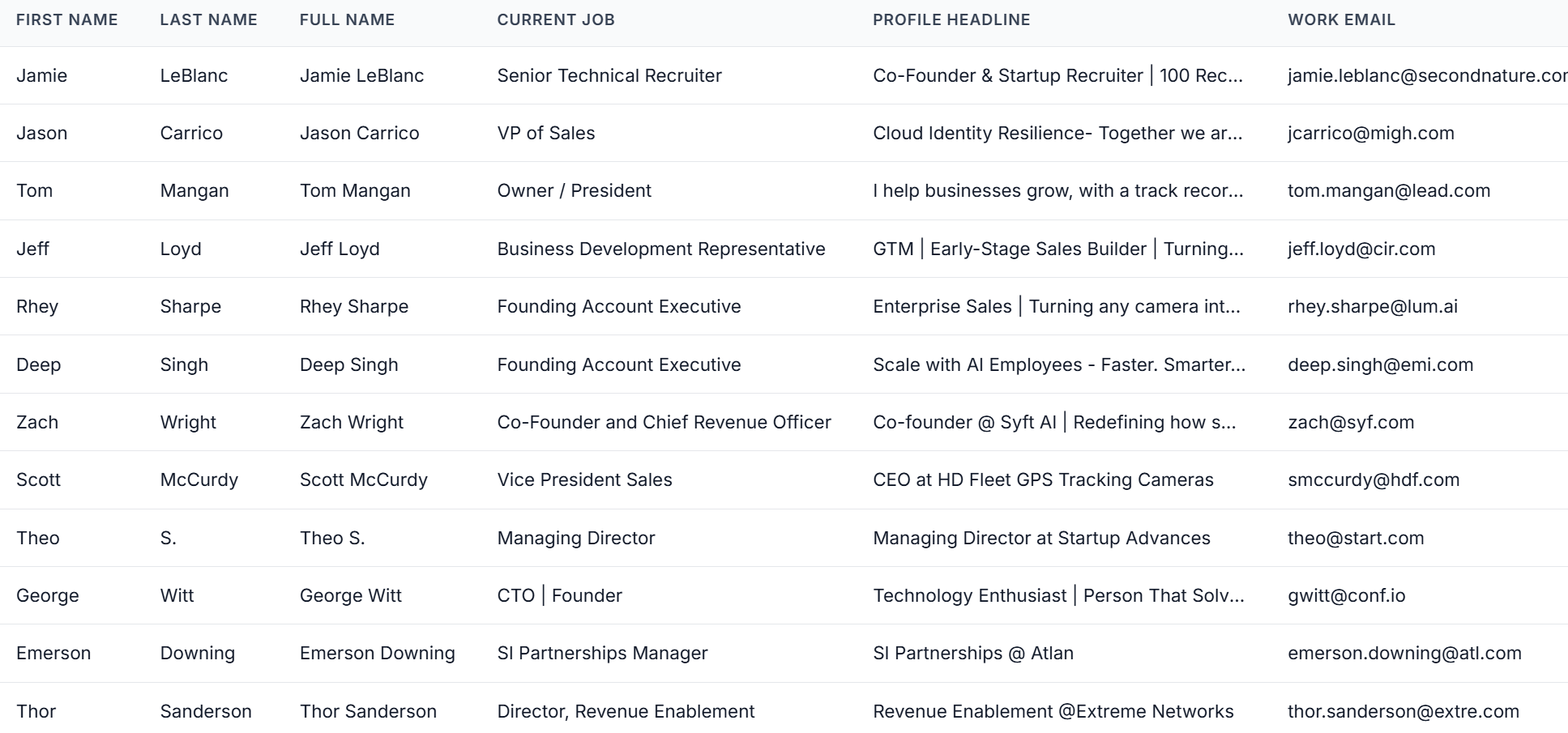
## **What Data You Get**
Each exported profile is converted into structured fields such as:
* Name
* LinkedIn profile URL
* Current role and company
* Location
* Company details
The data is clean and consistent, ready to use immediately.
***
### **How to Export via People Search**
1. Run a **LinkedIn People Search**
2. Copy the search URL
3. Paste it into OutX.ai
4. Start the export
OutX.ai extracts all visible profiles and stores them in a list.
***
## **What Data You Get**
Each exported profile is converted into structured fields such as:
* Name
* LinkedIn profile URL
* Current role and company
* Location
* Company details
The data is clean and consistent, ready to use immediately.
 ***
## **Email & Data Enrichment (Optional)**
After export, you can enrich profiles if needed.
You can add:
* Work emails
* Additional company information
* Other contact fields
This prepares your list for:
* CRM imports
* Email outreach
* Sales or recruiting workflows
You choose when and what to enrich.
***
## **How Data Export Works with Social Listening**
Data Export works best when combined with signals.
A common workflow:
1. Track hiring or buying intent using social listening
2. Identify relevant people or roles
3. Export them into a list
4. Reach out with context
This helps avoid cold, generic outreach.
## Frequently Asked Questions
Only if you want to export from Sales Navigator searches. The People Search export works with standard LinkedIn search and does not require a Sales Navigator subscription.
Usually 5-10 minutes depending on the number of results. Smaller exports complete faster. The Chrome extension must remain active during the export process.
***
## **Email & Data Enrichment (Optional)**
After export, you can enrich profiles if needed.
You can add:
* Work emails
* Additional company information
* Other contact fields
This prepares your list for:
* CRM imports
* Email outreach
* Sales or recruiting workflows
You choose when and what to enrich.
***
## **How Data Export Works with Social Listening**
Data Export works best when combined with signals.
A common workflow:
1. Track hiring or buying intent using social listening
2. Identify relevant people or roles
3. Export them into a list
4. Reach out with context
This helps avoid cold, generic outreach.
## Frequently Asked Questions
Only if you want to export from Sales Navigator searches. The People Search export works with standard LinkedIn search and does not require a Sales Navigator subscription.
Usually 5-10 minutes depending on the number of results. Smaller exports complete faster. The Chrome extension must remain active during the export process.