> ## Documentation Index
> Fetch the complete documentation index at: https://www.outx.ai/docs/llms.txt
> Use this file to discover all available pages before exploring further.
# People Search Export
> Export leads from LinkedIn People Search results to Excel with OutX.ai. Step-by-step guide to safely extract and download LinkedIn search data.
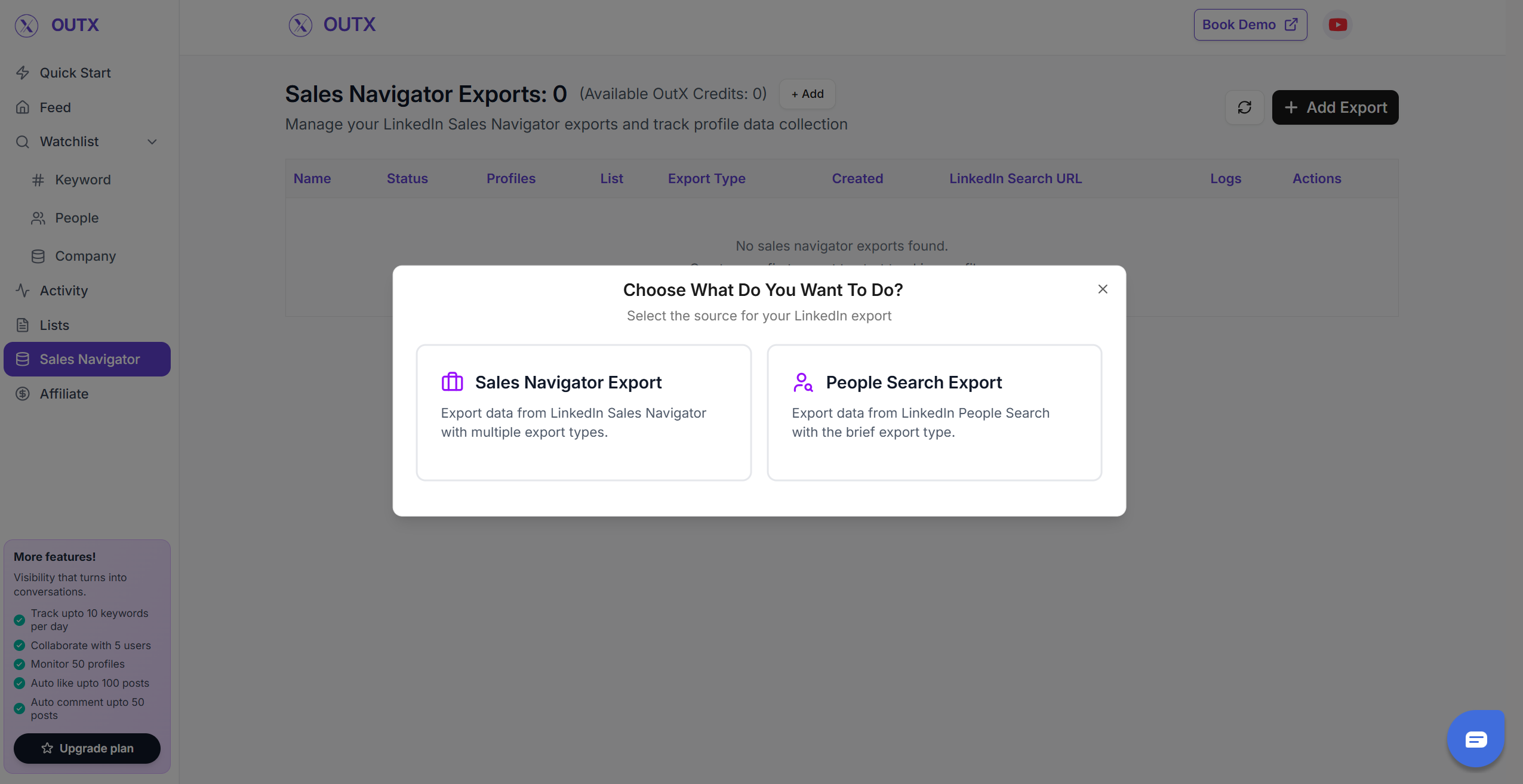
## 1. Select the "Type of export"
Select what you want to export from LinkedIn
### People Search Export
* Using this you can scrape the profiles from LinkedIn Search results
 ### 2. LinkedIn People search URL
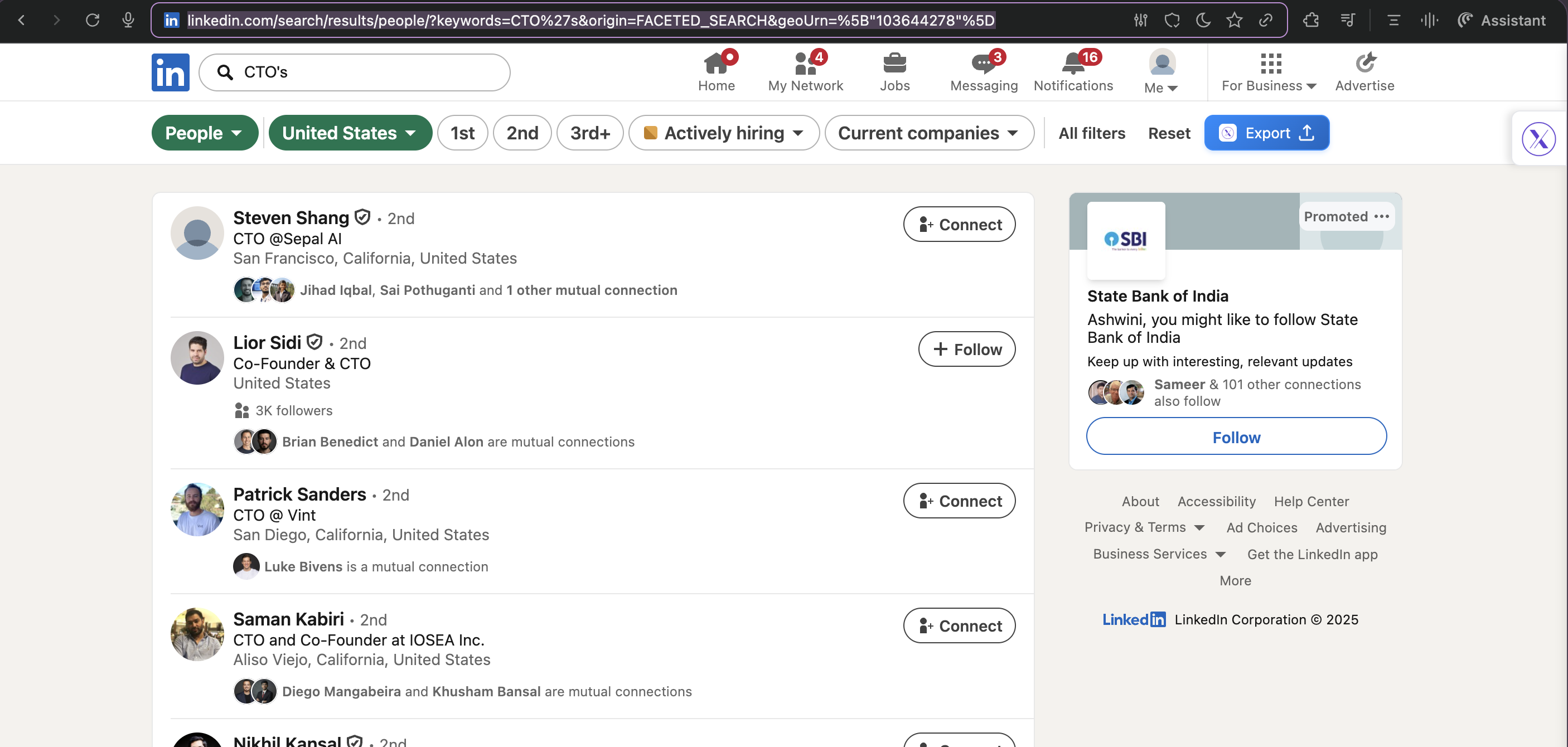
* You can Copy the people search URL
* You can also directly press export to take the results straight to Outx.ai
### 2. LinkedIn People search URL
* You can Copy the people search URL
* You can also directly press export to take the results straight to Outx.ai
 ## **2. Create your People search lead list**
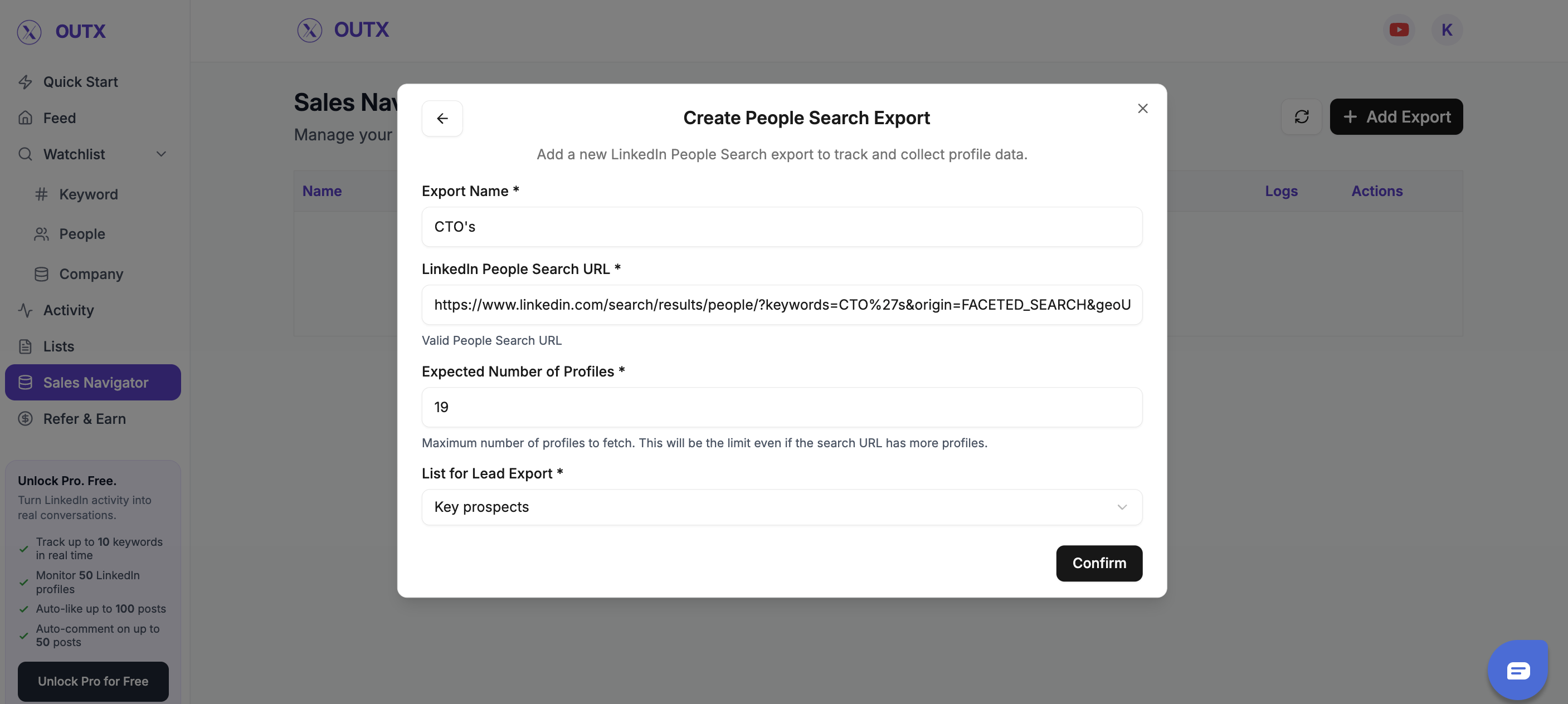
Fill out all the information in the form
## **2. Create your People search lead list**
Fill out all the information in the form
 Outx.ai will export all these leads in real-time.
That makes your lead generation process **GDPR-compliant**, in opposition to using databases.
## **3. Download your cleaned list**
After the extraction is done, you will get an email. This email will have a link to download your lead list in a CSV file.
Outx.ai will export all these leads in real-time.
That makes your lead generation process **GDPR-compliant**, in opposition to using databases.
## **3. Download your cleaned list**
After the extraction is done, you will get an email. This email will have a link to download your lead list in a CSV file.
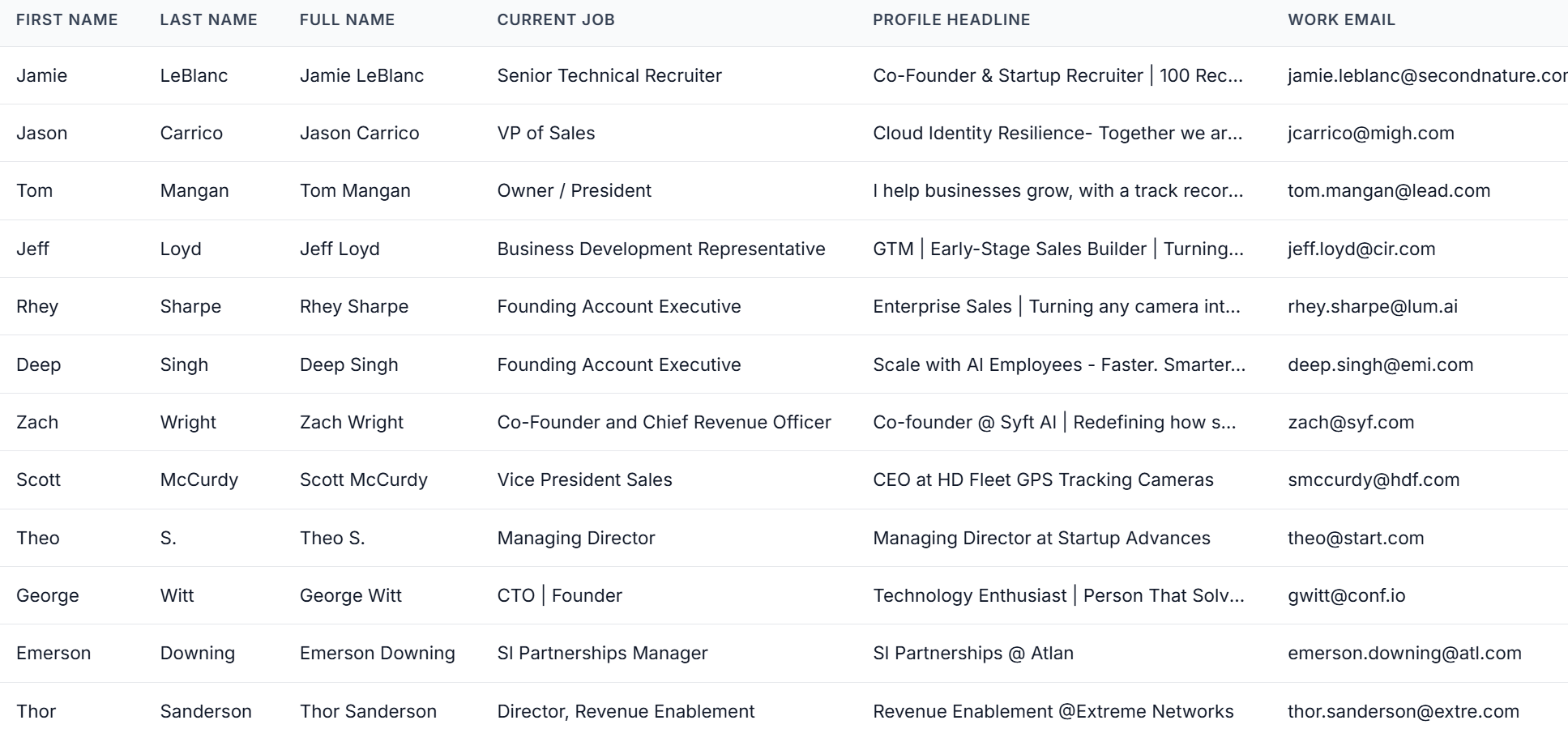 Outx.ai does much more than export your list. It also **cleans all the names and company names** of your LinkedIn contacts.
The data on **LinkedIn is not clean.**
Cleaning data from your people search results can take hours if you do it manually.
The **Outx.ai cleaning algorithm** takes care of all this work for you by automatically cleaning:
1. First names
2. Last names
3. Company names
4. Job titles
Nobody wants to spend hours cleaning Excel files. Better let robots do this boring job.
## Frequently Asked Questions
OutX automates outbound by tracking intent, profiles, engagement, and exporting LinkedIn data at scale.
You can export **up to 2,500 results per search** from People Search.
Yes OutX uses human-like timing and throttling to keep engagement activity safe.
Yes you can track unlimited keywords, profiles, and signals simultaneously.
Yes. The OutX Chrome Extension is required to export data from LinkedIn People Search.
Founders, agencies, SDR teams, and operators who rely on LinkedIn for outbound.
On an average it takes 5-10 minutes to export a people search export.
Outx.ai does much more than export your list. It also **cleans all the names and company names** of your LinkedIn contacts.
The data on **LinkedIn is not clean.**
Cleaning data from your people search results can take hours if you do it manually.
The **Outx.ai cleaning algorithm** takes care of all this work for you by automatically cleaning:
1. First names
2. Last names
3. Company names
4. Job titles
Nobody wants to spend hours cleaning Excel files. Better let robots do this boring job.
## Frequently Asked Questions
OutX automates outbound by tracking intent, profiles, engagement, and exporting LinkedIn data at scale.
You can export **up to 2,500 results per search** from People Search.
Yes OutX uses human-like timing and throttling to keep engagement activity safe.
Yes you can track unlimited keywords, profiles, and signals simultaneously.
Yes. The OutX Chrome Extension is required to export data from LinkedIn People Search.
Founders, agencies, SDR teams, and operators who rely on LinkedIn for outbound.
On an average it takes 5-10 minutes to export a people search export.