> ## Documentation Index
> Fetch the complete documentation index at: https://www.outx.ai/docs/llms.txt
> Use this file to discover all available pages before exploring further.
# Get started in 10 minutes
> Get started with LinkedIn social listening in OutX.ai. Monitor conversations, track people and companies, and catch buying intent signals in minutes.
## **Why use OutX.ai?**
Most intent on LinkedIn is shared publicly through posts, comments, and profile updates.
OutX.ai helps you capture these signals automatically instead of manually checking LinkedIn.
***
## **How OutX.ai helps with Social Listening**
OutX.ai continuously scans LinkedIn for keywords, people, and companies you care about, then organizes updates into a single feed so you can act at the right time.
***
## Setup Your account
## **Step 1: Create Your Account**
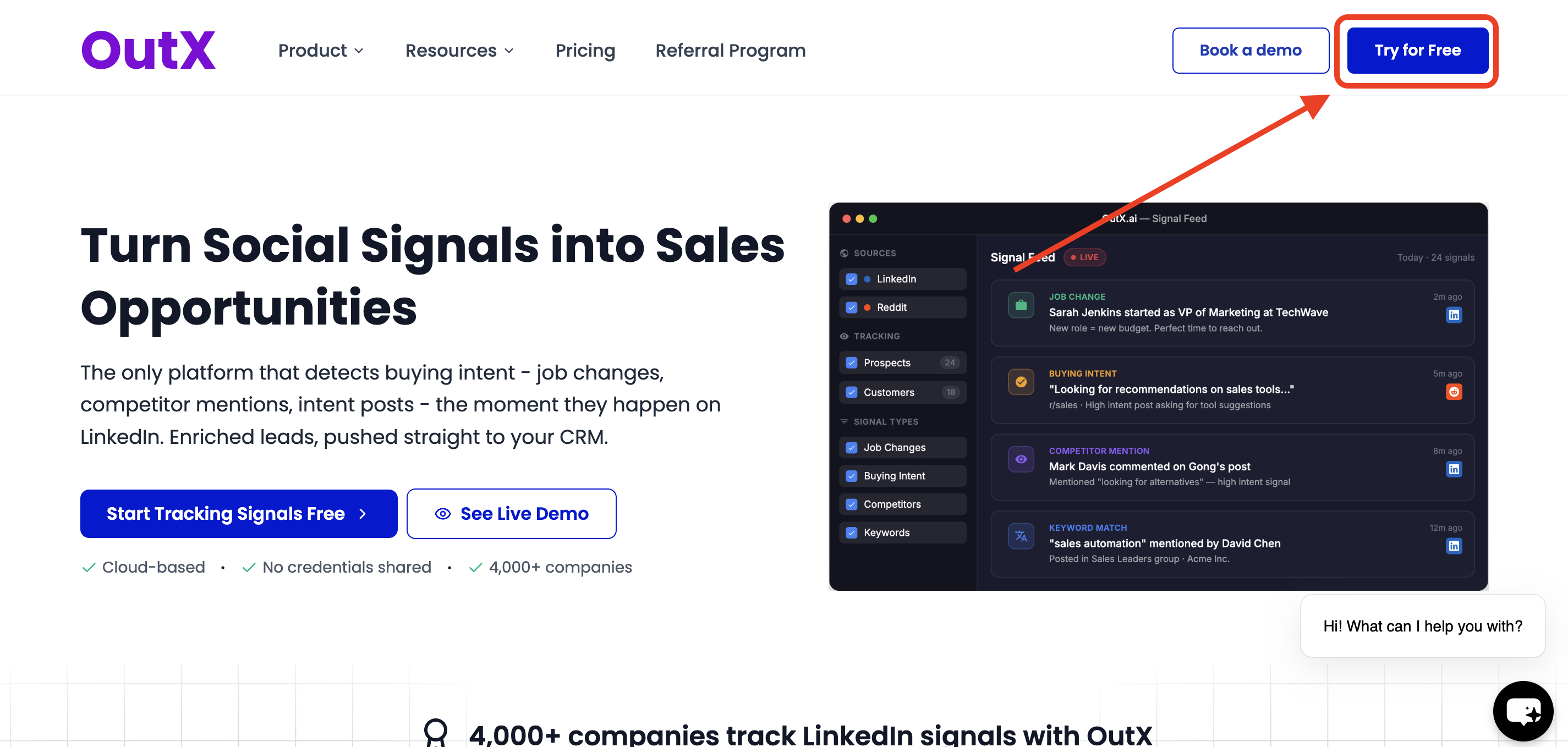
Click **Try for free** on the OutX.ai website and sign up using **Google login** or **email OTP**.
 ## **Step 2: Install the Chrome Extension**
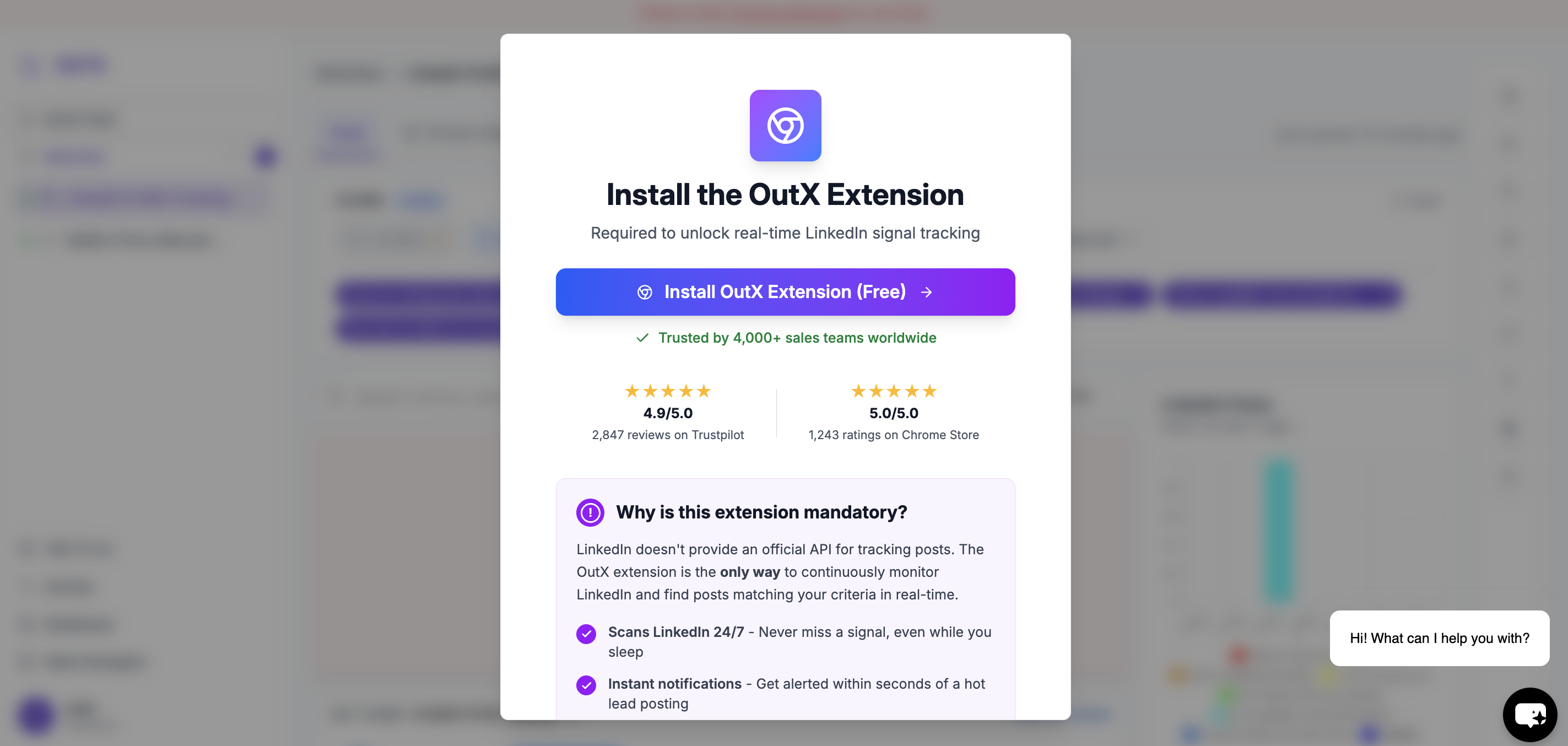
The OutX.ai Chrome extension connects LinkedIn to your account.
* No LinkedIn password required
* No cookies or private data accessed
* Reads only public LinkedIn content
> ⚠️ The extension is mandatory for tracking posts and profiles.
## **Step 2: Install the Chrome Extension**
The OutX.ai Chrome extension connects LinkedIn to your account.
* No LinkedIn password required
* No cookies or private data accessed
* Reads only public LinkedIn content
> ⚠️ The extension is mandatory for tracking posts and profiles.
 ### Steps to install
1. Click **Install Chrome Extension**
2. Approve the extension in Chrome
3. Keep the extension enabled while using LinkedIn
***
## **Step 3: Select what you want [OutX](https://outx.ai) to do?**
After installing the extension, you'll see a **chatbot interface** instead of a setup modal.
Here, simply **describe in plain English** what you want to track on LinkedIn or select from pre made prompt customised for you from below.
**Examples:**
* "Track people talking about buying sales engagement tools"
* "Monitor posts mentioning Apollo, ZoomInfo, or sales automation"
* "Track founders hiring SDRs in US startups"
* "Follow posts from RevOps leaders about outbound"
The more clearly you describe your goal, the better OutX.ai can build your watchlist.
Outx.ai is designed to support different outbound goals. During setup, you select what you want to achieve:
* **Social Listening**
* Track **industry keywords**, **competitor mentions**, and **your brand**
* Track **people** (leads, prospects, customers)
* Personal Branding
* Automatically like or comment on relevant posts
* Engage with tracked people and companies
* Stay active on LinkedIn using simple rules
### Steps to install
1. Click **Install Chrome Extension**
2. Approve the extension in Chrome
3. Keep the extension enabled while using LinkedIn
***
## **Step 3: Select what you want [OutX](https://outx.ai) to do?**
After installing the extension, you'll see a **chatbot interface** instead of a setup modal.
Here, simply **describe in plain English** what you want to track on LinkedIn or select from pre made prompt customised for you from below.
**Examples:**
* "Track people talking about buying sales engagement tools"
* "Monitor posts mentioning Apollo, ZoomInfo, or sales automation"
* "Track founders hiring SDRs in US startups"
* "Follow posts from RevOps leaders about outbound"
The more clearly you describe your goal, the better OutX.ai can build your watchlist.
Outx.ai is designed to support different outbound goals. During setup, you select what you want to achieve:
* **Social Listening**
* Track **industry keywords**, **competitor mentions**, and **your brand**
* Track **people** (leads, prospects, customers)
* Personal Branding
* Automatically like or comment on relevant posts
* Engage with tracked people and companies
* Stay active on LinkedIn using simple rules
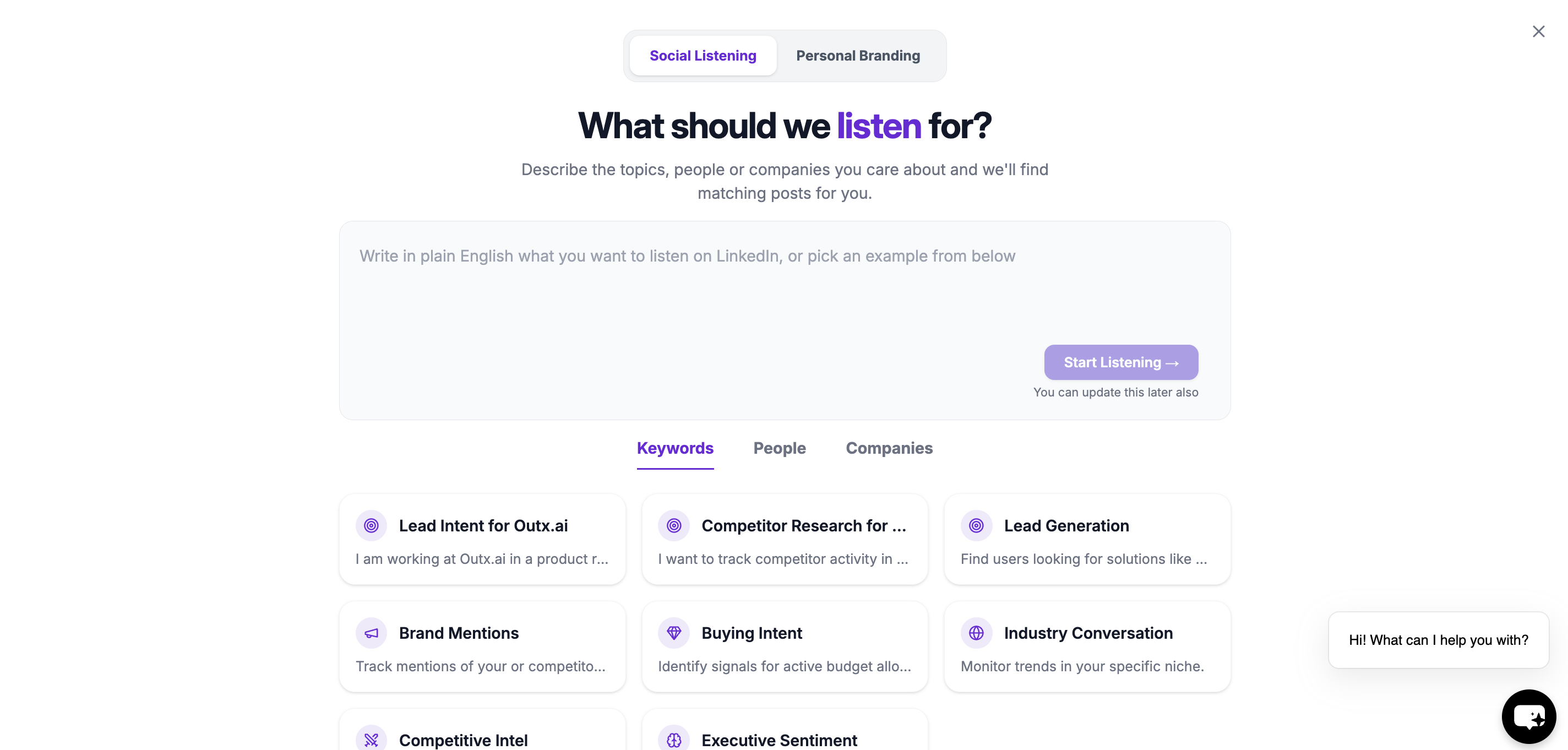 Click **Start Listening** after entering your prompt.
This intent selection configures which engines and workflows are activated in your account.
***
## Step 4: Wait While Your Watchlist Is Created
OutX.ai analyzes your prompt and automatically:
Click **Start Listening** after entering your prompt.
This intent selection configures which engines and workflows are activated in your account.
***
## Step 4: Wait While Your Watchlist Is Created
OutX.ai analyzes your prompt and automatically:
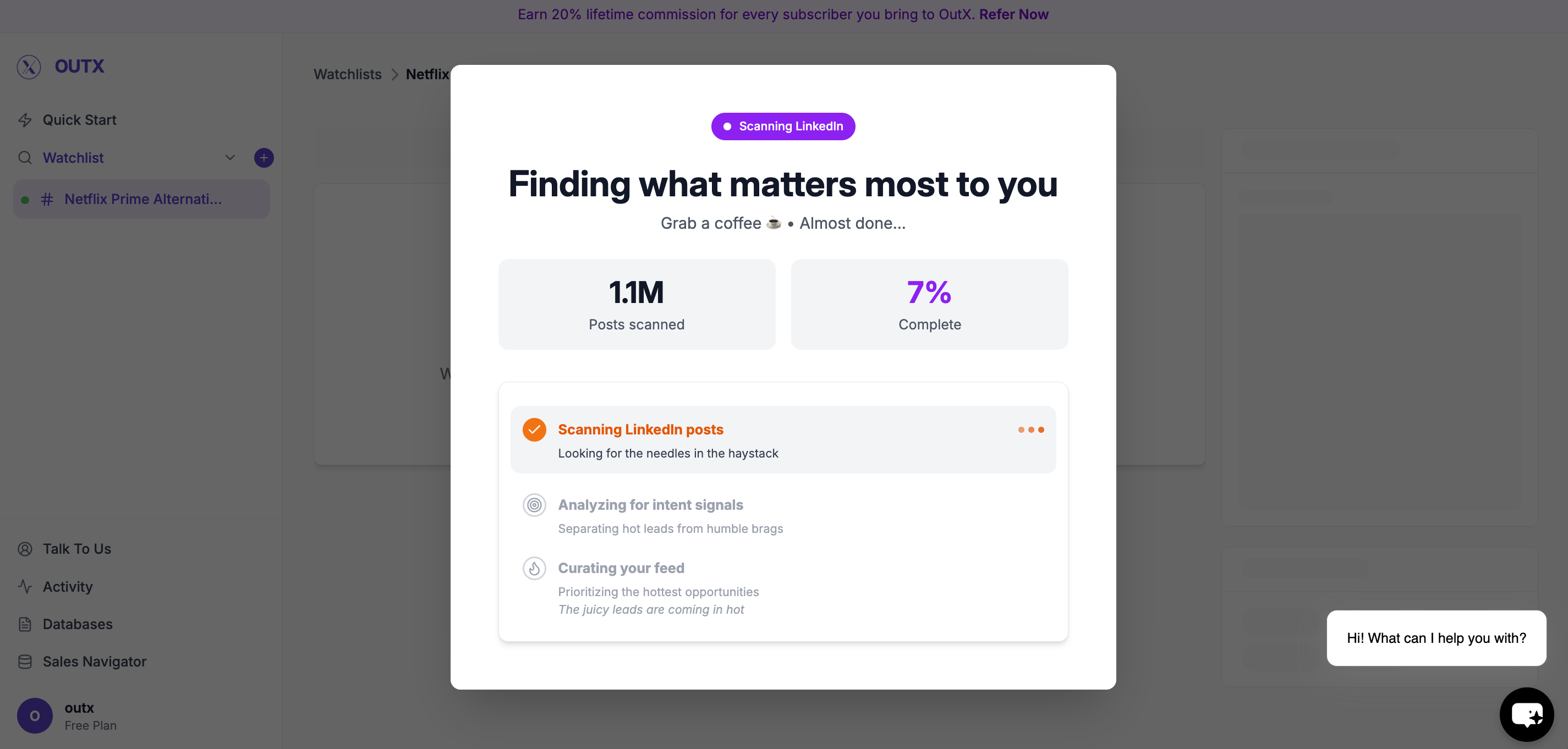 * Generates relevant keywords
* Creates a watchlist
* Starts scanning LinkedIn
This usually takes a few minutes.
Once complete, your watchlist will start showing matching posts.
***
## Managing Your Watchlist
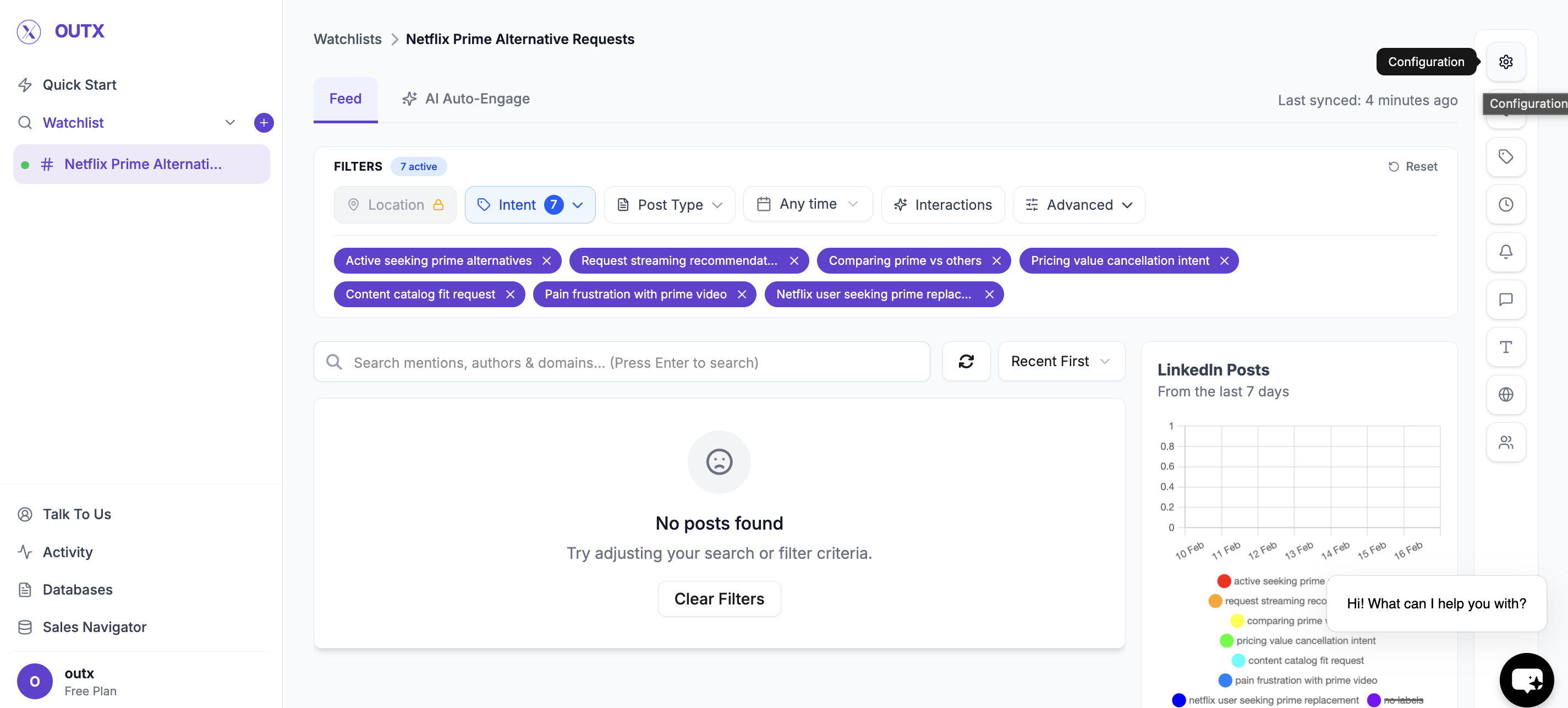
Click on Configuration.
* Generates relevant keywords
* Creates a watchlist
* Starts scanning LinkedIn
This usually takes a few minutes.
Once complete, your watchlist will start showing matching posts.
***
## Managing Your Watchlist
Click on Configuration.
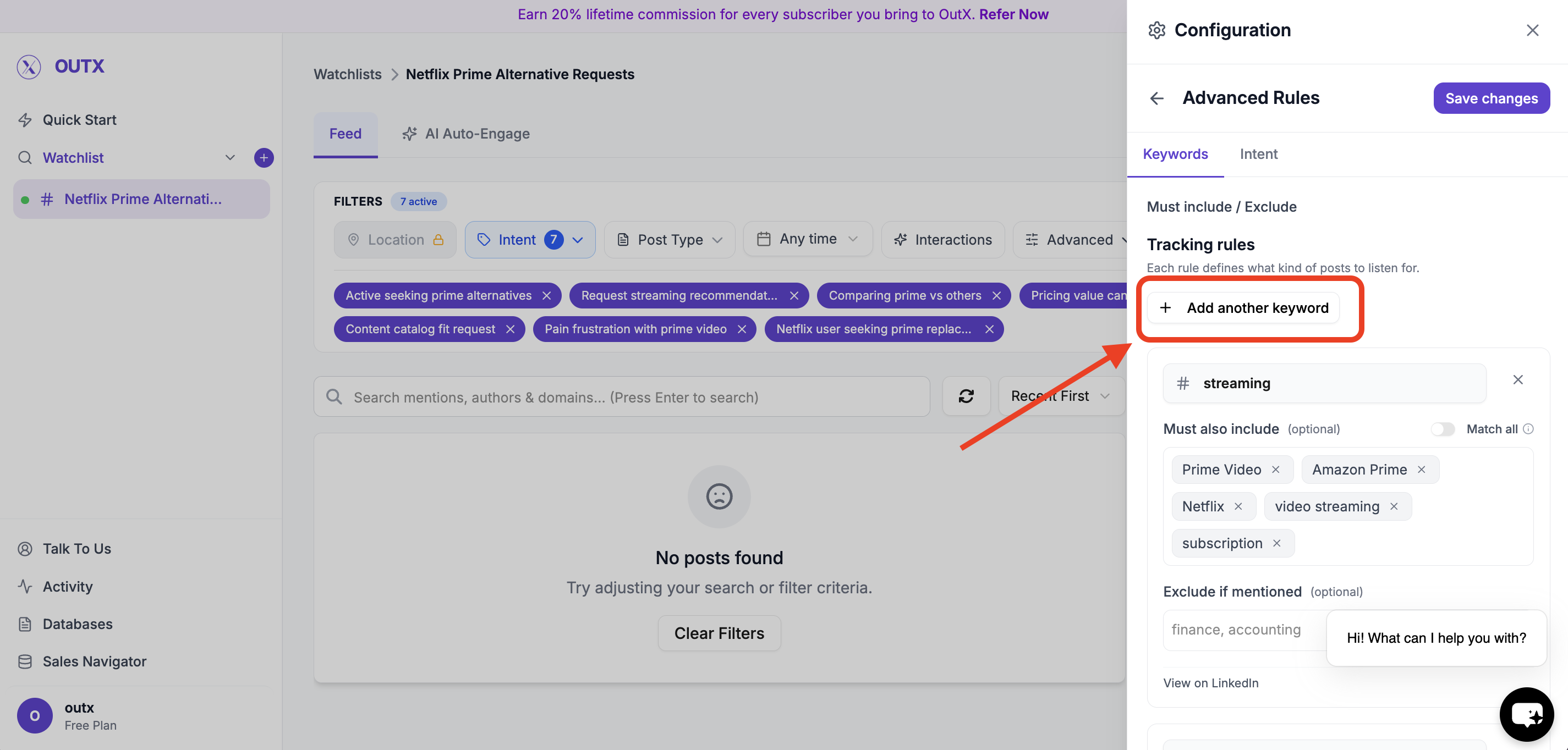
 ### Edit Keywords (Optional)
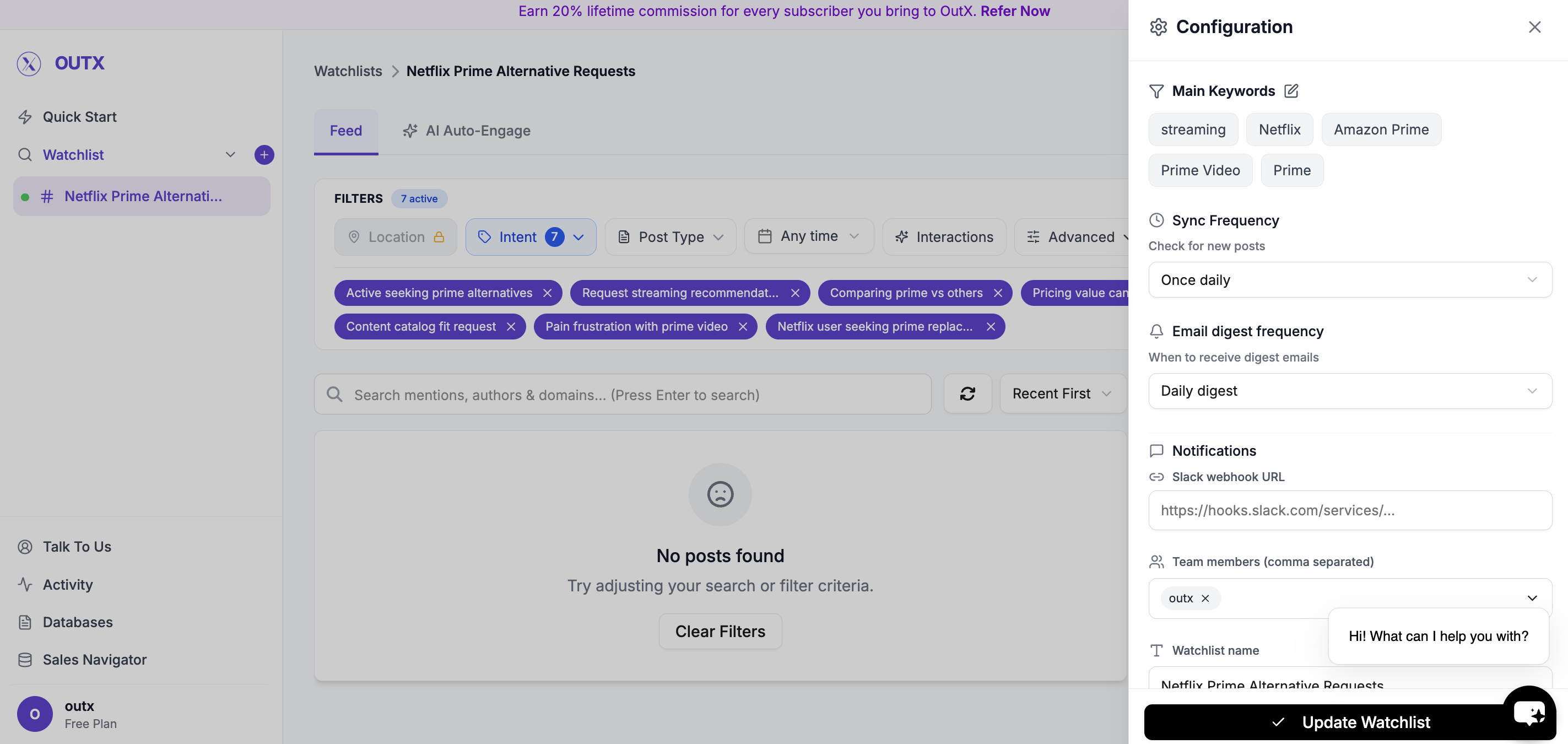 You can review and update the suggested keywords anytime:
* Add new keywords
* Remove irrelevant ones
* Adjust wording to match your niche
You can review and update the suggested keywords anytime:
* Add new keywords
* Remove irrelevant ones
* Adjust wording to match your niche
 ***
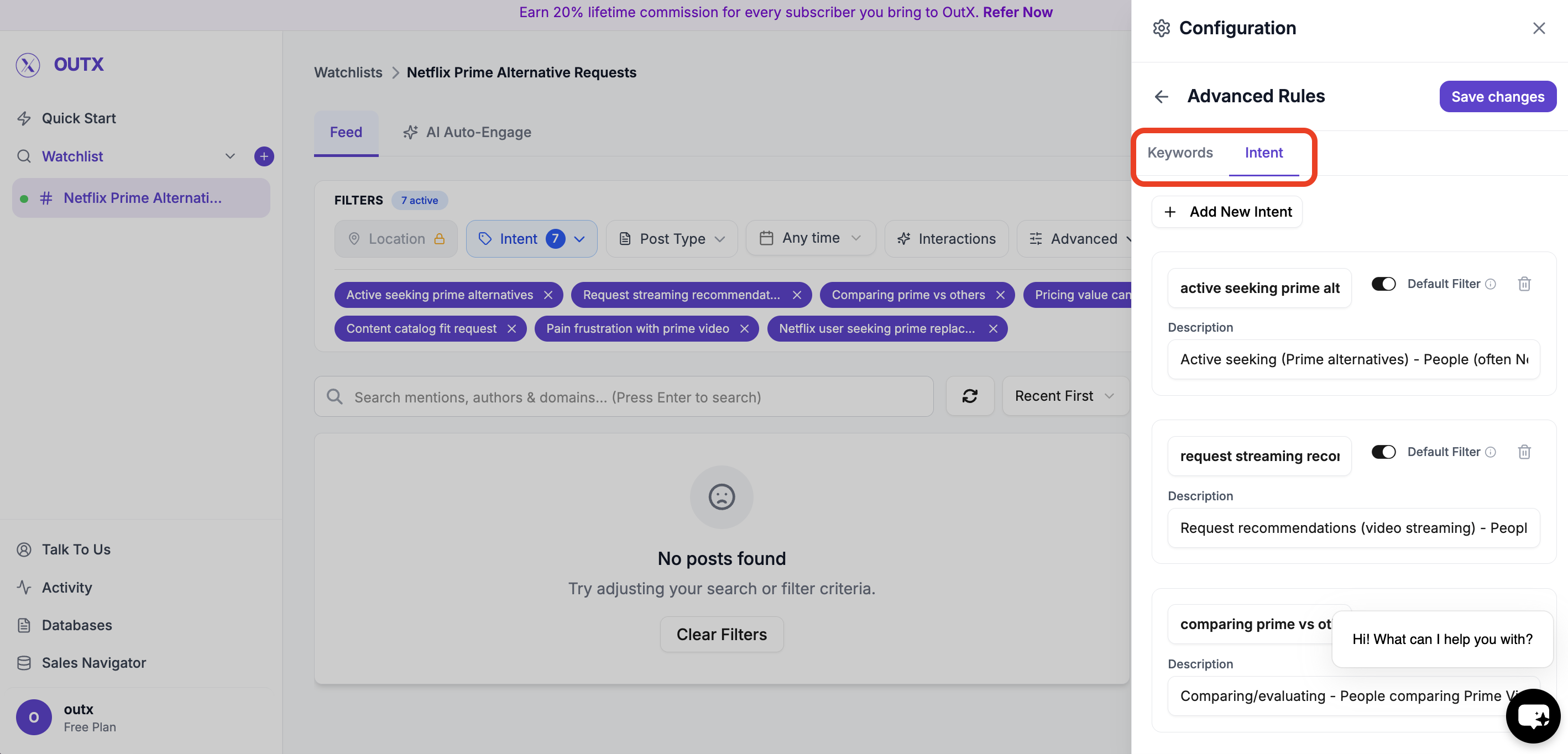
### Labels (Optional)
Labels help organize posts inside a watchlist.
Use labels to:
* Group similar posts
* Understand why a post was captured
* Route signals to the right workflow
Example labels:
* Buying Intent
* Hiring
* Competitor Mention
* Lead
***
### Labels (Optional)
Labels help organize posts inside a watchlist.
Use labels to:
* Group similar posts
* Understand why a post was captured
* Route signals to the right workflow
Example labels:
* Buying Intent
* Hiring
* Competitor Mention
* Lead
 ***
## How to Add People or Companies
### 1. Open a Watchlist
Go to any existing watchlist, or create a new one using the chatbot.
***
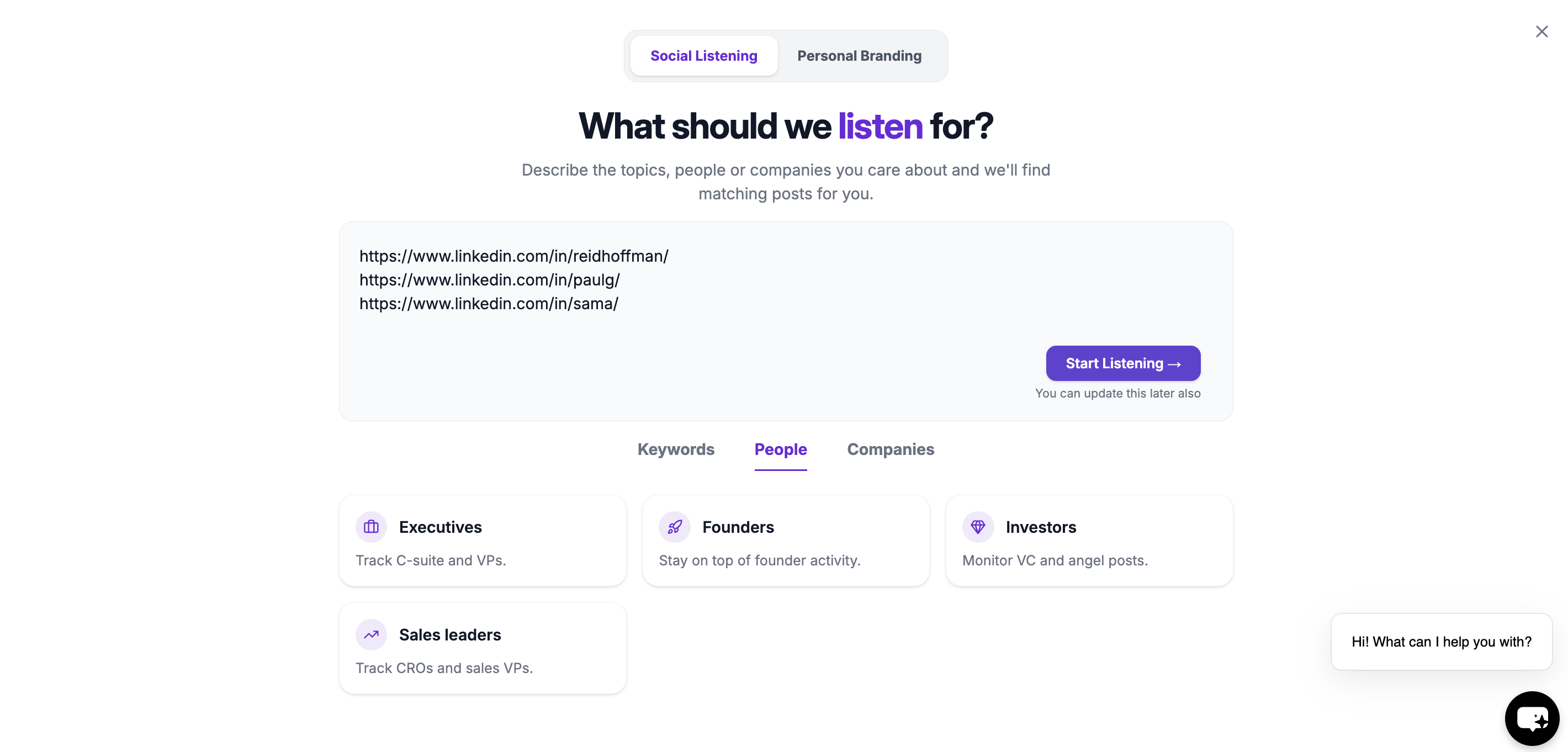
### 2. Add LinkedIn Profile or Company URLs
Paste the LinkedIn profile or company page URLs you want to track.
You can add:
* Individual LinkedIn profiles
* Company pages
* Multiple URLs at once
OutX.ai will automatically recognize each profile or company.
***
## How to Add People or Companies
### 1. Open a Watchlist
Go to any existing watchlist, or create a new one using the chatbot.
***
### 2. Add LinkedIn Profile or Company URLs
Paste the LinkedIn profile or company page URLs you want to track.
You can add:
* Individual LinkedIn profiles
* Company pages
* Multiple URLs at once
OutX.ai will automatically recognize each profile or company.
 ***
### 3. Save
Once saved, OutX.ai begins monitoring these profiles in the background.
***
### **Engage with tracked people**
* **Manual engagement:** Reply thoughtfully using AI-suggested comments
* **Automatic engagement:** Engage using rules to stay consistent
🔗 *Read more about people and company tracking*
***
## **Optional: Personal Branding with Auto Engagement**
You can enable auto engagement to build your personal brand by staying visible on LinkedIn.
* Automatically like or comment on relevant posts
* Engage from personal or company accounts
* Fully controlled by rules
This step is optional and can be enabled anytime.
***
## **You're Live**
In under 10 minutes, you've:
* Connected LinkedIn
* Set up keyword or people tracking
* Started capturing signals
* Begun engaging with posts
OutX.ai now runs in the background so you don't have to.
***
## Frequently Asked Questions
OutX.ai tracks **public LinkedIn activity**, including:
* Posts
* Profile updates (job or company changes)
* Company page posts
* Hiring and job-related updates
* Birthdays (when publicly visible)
* Keyword-based conversations
Yes. You can track **individual LinkedIn profiles** and see their public posts and profile changes in one feed.
Yes. You can track **company pages**, competitors, and target accounts to monitor posts and major updates.
Yes. You can track **keywords, brands, competitors, and industry topics** mentioned in public LinkedIn posts.
Yes. OutX.ai surfaces **public job changes, hiring posts, and role updates**.
Yes, **if they're publicly visible** on LinkedIn.
No. OutX.ai does **not** track individual comments on posts.
No. Likes and reactions are **not tracked**.
No. OutX.ai only reads **public LinkedIn content**. No DMs, passwords, or private data.
***
### 3. Save
Once saved, OutX.ai begins monitoring these profiles in the background.
***
### **Engage with tracked people**
* **Manual engagement:** Reply thoughtfully using AI-suggested comments
* **Automatic engagement:** Engage using rules to stay consistent
🔗 *Read more about people and company tracking*
***
## **Optional: Personal Branding with Auto Engagement**
You can enable auto engagement to build your personal brand by staying visible on LinkedIn.
* Automatically like or comment on relevant posts
* Engage from personal or company accounts
* Fully controlled by rules
This step is optional and can be enabled anytime.
***
## **You're Live**
In under 10 minutes, you've:
* Connected LinkedIn
* Set up keyword or people tracking
* Started capturing signals
* Begun engaging with posts
OutX.ai now runs in the background so you don't have to.
***
## Frequently Asked Questions
OutX.ai tracks **public LinkedIn activity**, including:
* Posts
* Profile updates (job or company changes)
* Company page posts
* Hiring and job-related updates
* Birthdays (when publicly visible)
* Keyword-based conversations
Yes. You can track **individual LinkedIn profiles** and see their public posts and profile changes in one feed.
Yes. You can track **company pages**, competitors, and target accounts to monitor posts and major updates.
Yes. You can track **keywords, brands, competitors, and industry topics** mentioned in public LinkedIn posts.
Yes. OutX.ai surfaces **public job changes, hiring posts, and role updates**.
Yes, **if they're publicly visible** on LinkedIn.
No. OutX.ai does **not** track individual comments on posts.
No. Likes and reactions are **not tracked**.
No. OutX.ai only reads **public LinkedIn content**. No DMs, passwords, or private data.