> ## Documentation Index
> Fetch the complete documentation index at: https://www.outx.ai/docs/llms.txt
> Use this file to discover all available pages before exploring further.
# How OutX.ai Analyzes Likes & Comments
> See how OutX.ai analyzes LinkedIn likes and comments to uncover buying signals, engagement patterns, and intent from post interactions.
## What We Listen To
OutX.ai continuously monitors engagement activity on LinkedIn posts, including:
* Comments on posts
* Likes and reactions
* The people interacting with specific content
* The context of the post being engaged with
This allows us to go beyond *what people post* and focus on *what they interact with*.
***
## How OutX.ai Processes Engagement
Here's how the Engager works behind the scenes:
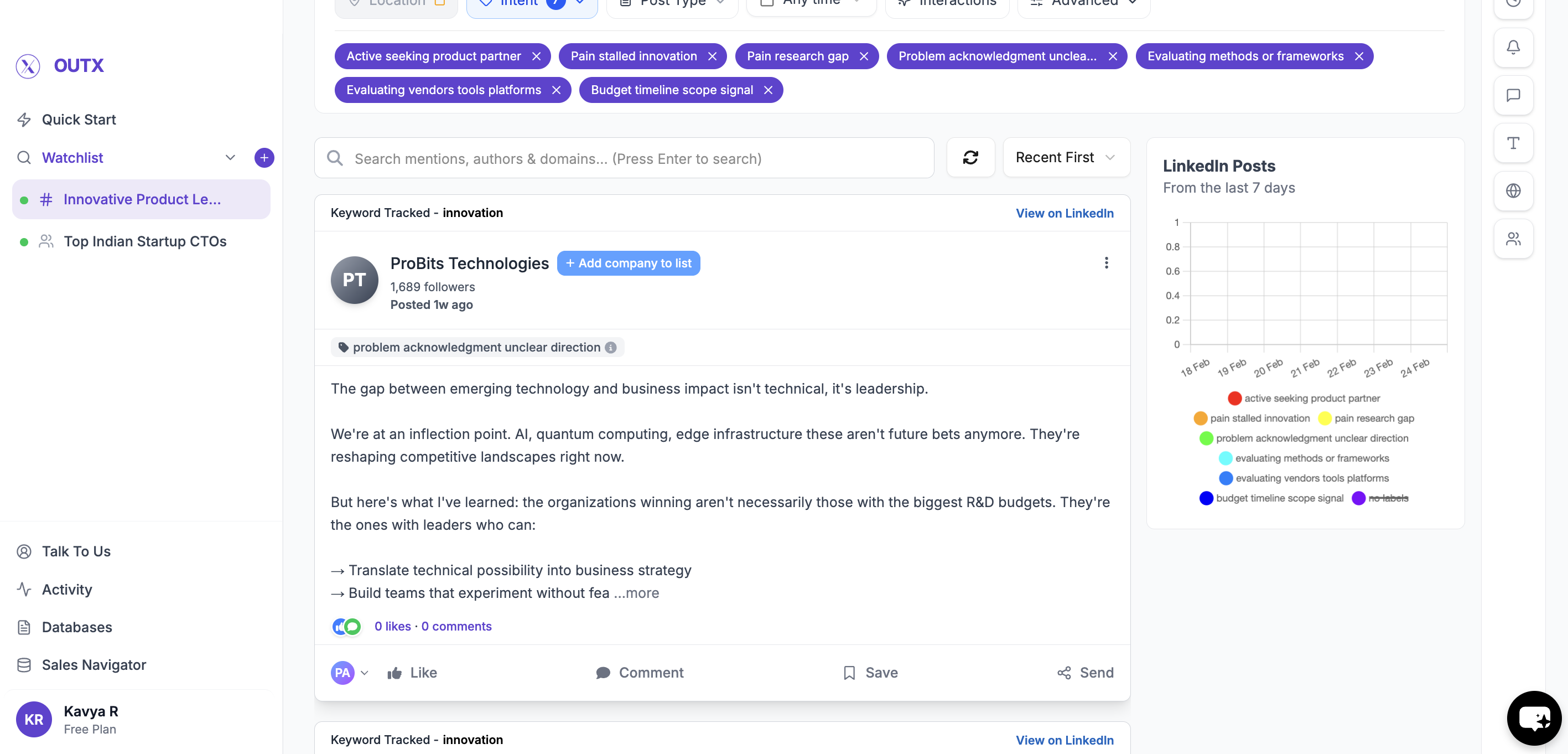
1. **Post Identification**
We identify relevant LinkedIn posts based on keywords, people, or companies you track.
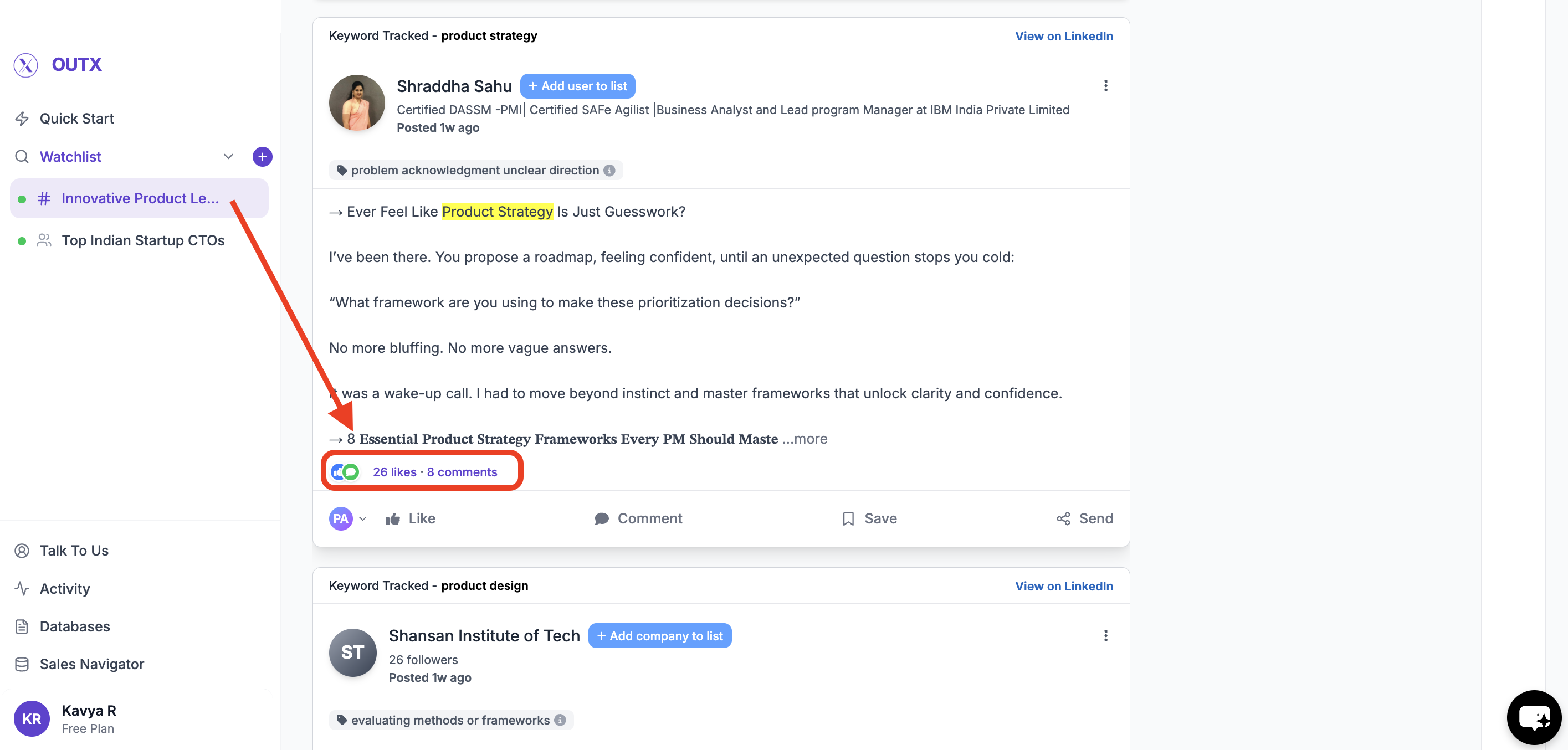
 2. **Engagement Capture**
OutX.ai captures:
* Who liked the post
* Who commented
2. **Engagement Capture**
OutX.ai captures:
* Who liked the post
* Who commented
 3. **Signal Creation**
These interactions are converted into structured list you can later act on.
3. **Signal Creation**
These interactions are converted into structured list you can later act on.
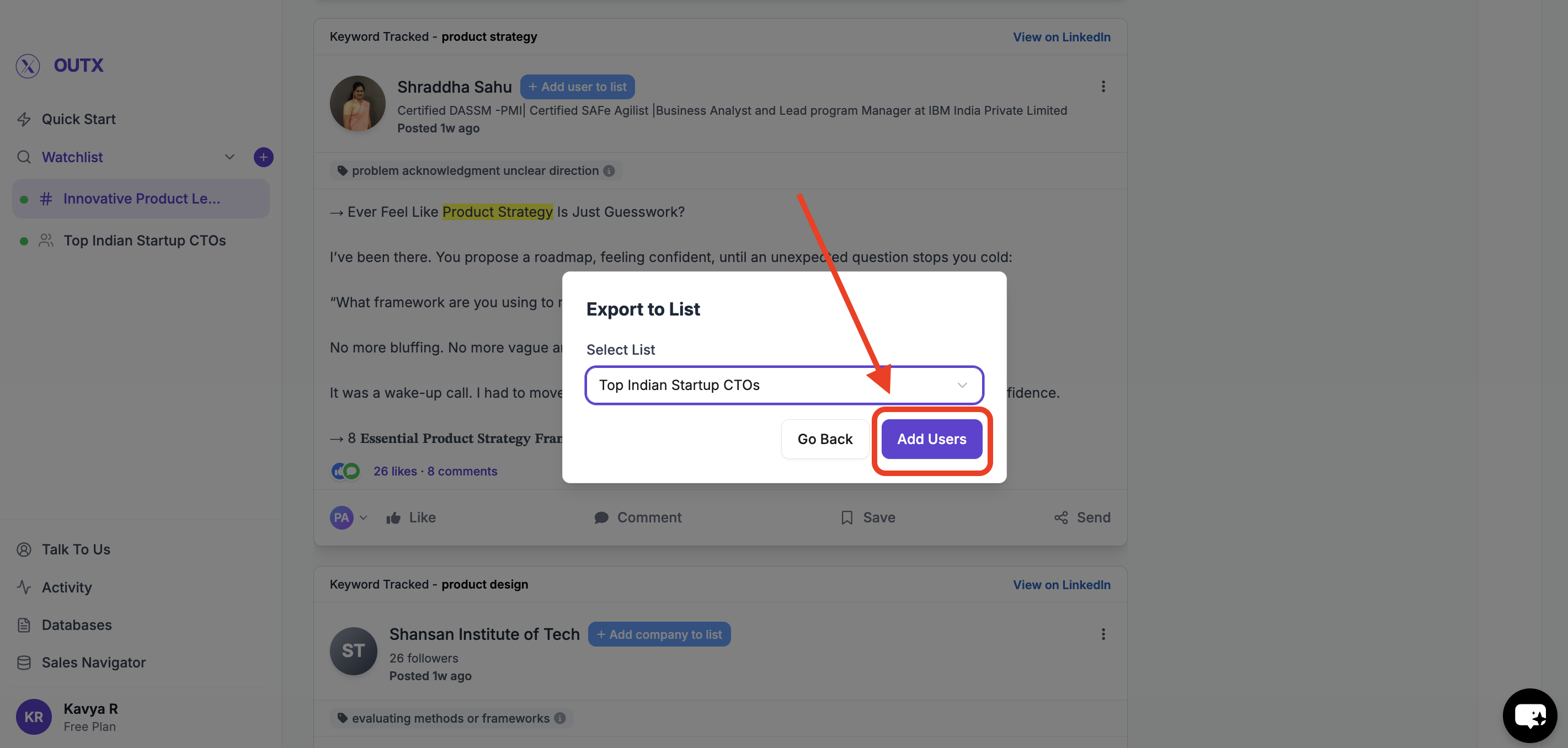
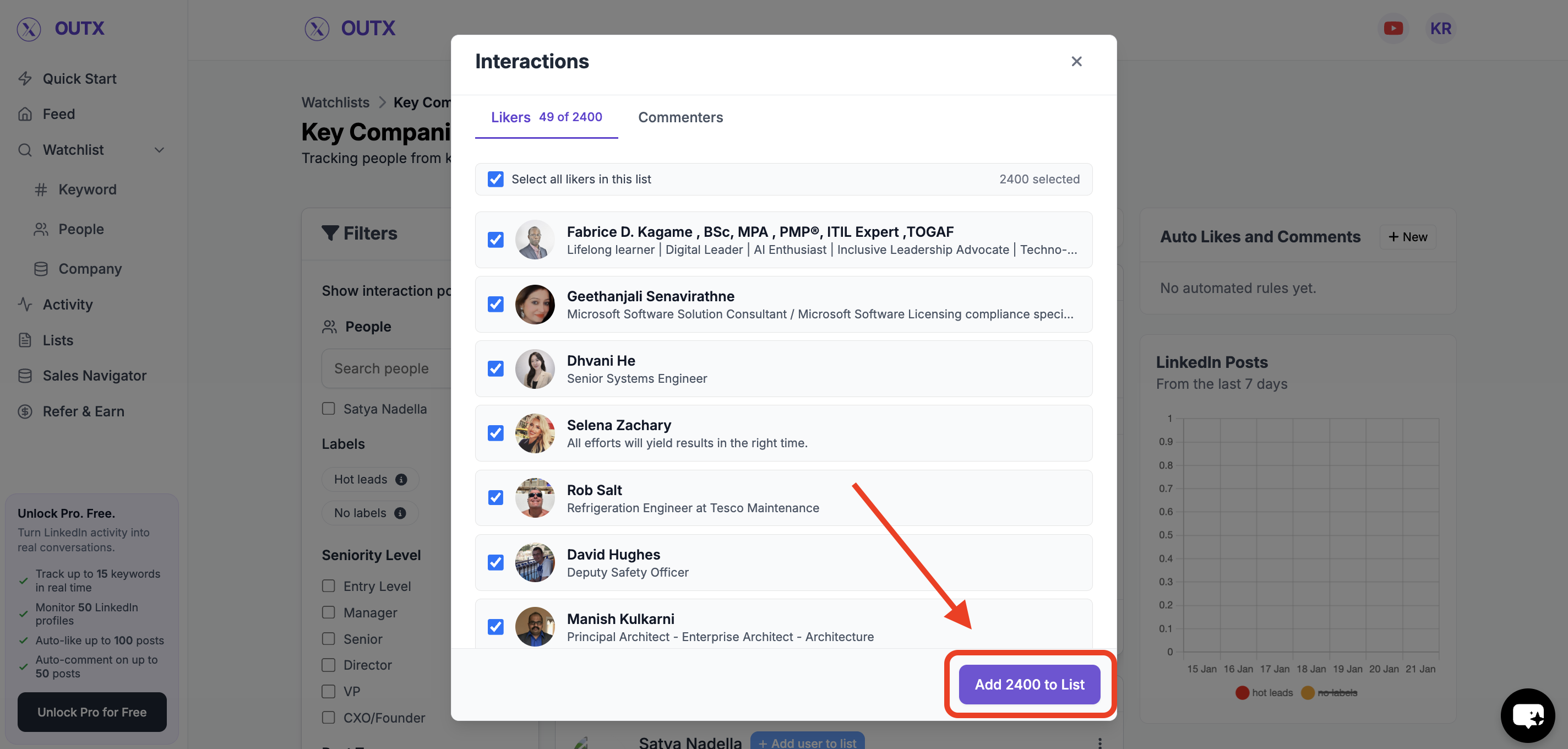 4. **Import the List**
* Click on Add people to list
4. **Import the List**
* Click on Add people to list
 ***
## What You Can Do With This Data
Using Engager insights, you can:
* Identify high-intent prospects earlier
* Spot buyers who don't create posts but actively engage
* Understand what topics your ICP reacts to
* Prioritize outreach based on real interest
***
## How This Fits Into OutX.ai
The Engager works alongside:
* Keyword tracking
* People and company tracking
Together, they help you see **not just content**, but **behavior**.
> ⚠️ Note: The Engager experience is still evolving.
***
## FAQs
**Q1: What does Engager do?**
It analyzes likes and comments on LinkedIn posts to surface intent signals.
***
**Q2: What kind of engagement is tracked?**
Likes, reactions, and comments on relevant LinkedIn posts.
***
**Q3: Why analyze engagement instead of just posts?**
Many high-intent users don't post but actively like or comment.
***
**Q4: Does it read comment text?**
Yes, when available, comment content is analyzed with post context.
***
**Q5: Does Engager auto-like or comment?**
No. It only listens and analyzes engagement.
***
**Q6: Is this safe for my LinkedIn account?**
Yes. Engager focuses on analysis, not automation.
***
**Q7: Is it live for everyone?**
Availability may vary as the feature rolls out.
***
## What You Can Do With This Data
Using Engager insights, you can:
* Identify high-intent prospects earlier
* Spot buyers who don't create posts but actively engage
* Understand what topics your ICP reacts to
* Prioritize outreach based on real interest
***
## How This Fits Into OutX.ai
The Engager works alongside:
* Keyword tracking
* People and company tracking
Together, they help you see **not just content**, but **behavior**.
> ⚠️ Note: The Engager experience is still evolving.
***
## FAQs
**Q1: What does Engager do?**
It analyzes likes and comments on LinkedIn posts to surface intent signals.
***
**Q2: What kind of engagement is tracked?**
Likes, reactions, and comments on relevant LinkedIn posts.
***
**Q3: Why analyze engagement instead of just posts?**
Many high-intent users don't post but actively like or comment.
***
**Q4: Does it read comment text?**
Yes, when available, comment content is analyzed with post context.
***
**Q5: Does Engager auto-like or comment?**
No. It only listens and analyzes engagement.
***
**Q6: Is this safe for my LinkedIn account?**
Yes. Engager focuses on analysis, not automation.
***
**Q7: Is it live for everyone?**
Availability may vary as the feature rolls out.