What is a Good Number of LinkedIn Impressions?
A good number of LinkedIn impressions in 2026 depends on your audience size. For personal profiles, 300 to 500 per post is solid with under 1,000 connections, 500 to 1,500 with up to 3,000, and 1,500 to 10,000+ for power users. Company pages range from 300 to 20,000+ depending on follower count.
In the early 2000s, a movie crossing $100 million at the box office was considered a blockbuster. Fast forward to 2026, and that same number barely raises eyebrows. Studios are now looking for the billion-dollar mark to call a film a true hit.
Well good news, LinkedIn impressions work in the same way. A decade ago, hitting 1,000 impressions on a post felt like a real traction. But Today, with over 900 million people on the platform, the benchmarks have shifted completely.
In fact, a random high schooler posting a cat video could pull in more impressions than a carefully written thought leadership piece.
So what counts as “good” impressions in 2026? And how do you consistently hit those numbers? Let’s dig in. (If you want to track mentions and measure your LinkedIn presence beyond basic analytics, check out OutX social listening.)
What Are LinkedIn Impressions?
let's clarify what LinkedIn impressions actually mean.
LinkedIn impressions represent the number of times your content is seen by other LinkedIn users, whether they click on it or not.
This includes when your post appears in:
- someone else’s feed
- in search results
- in group discussions
It's essentially a measure of how many eyeballs potentially see your content and It's really important to differentiate impressions from other LinkedIn metrics:
- Impressions: The total number of times your content is shown
- Reach: The number of unique users who saw your content
- Engagement: Actions taken on your content (likes, comments, shares)
- Click-through rate (CTR): Percentage of impressions that resulted in clicks
LinkedIn's own data suggests, impressions are at the top-of-funnel metric that showcases your content's visibility, whereas engagement metrics reveal how resonant the content is with your networking audience.
Generally we represent LinkedIn Impressions when evaluated as a metric in Average so lets have a look at that:
Good number of LinkedIn Impression Benchmarks
What counts as "good number of impressions" when it comes to LinkedIn? Well, the answer varies on with multiple factors:
For Personal Profiles
Recent data from Hootsuite and various LinkedIn analytics studies shows that:
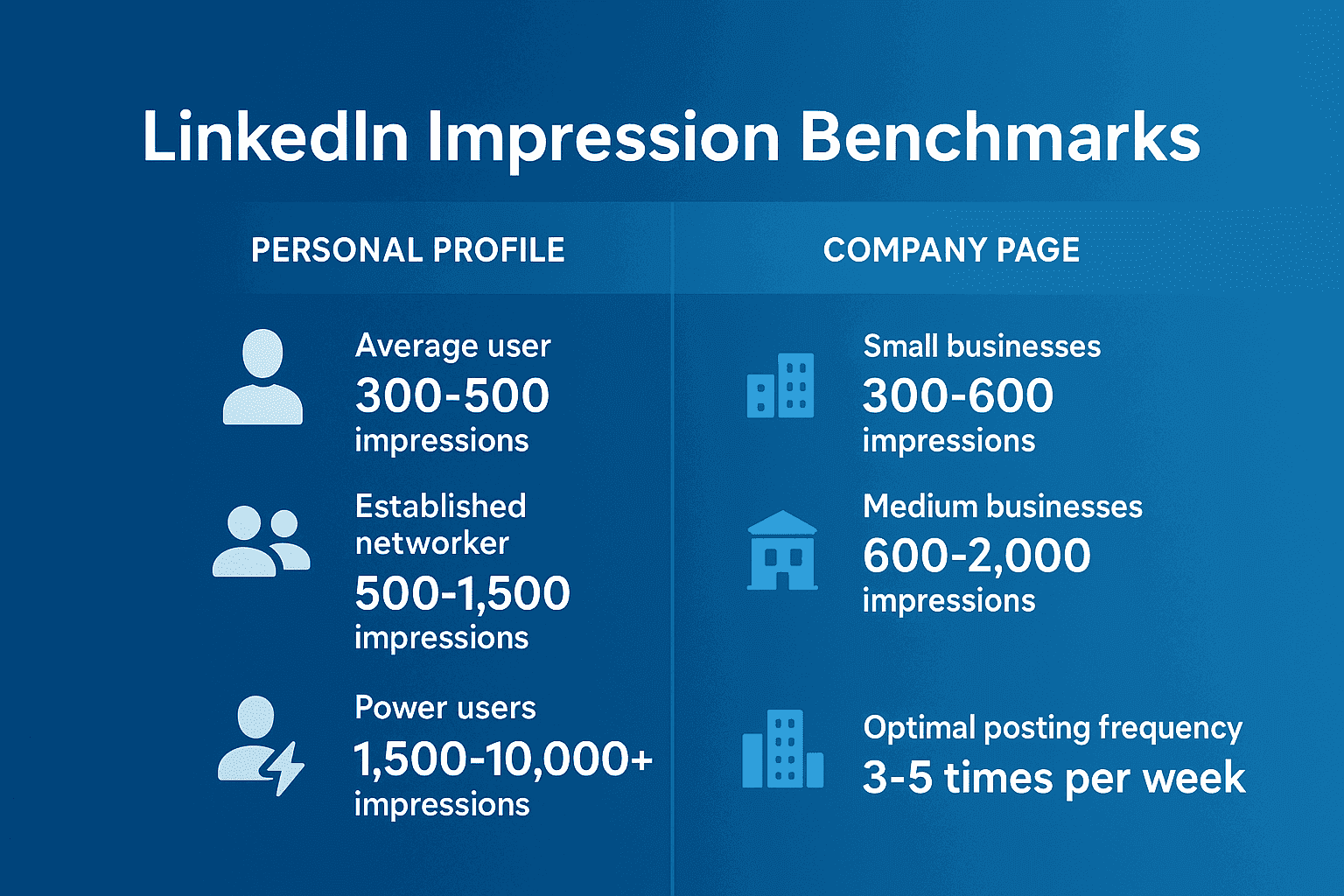
- Average user (500-1,000 connections): 300-500 impressions per post is considered good
- Established networker (1,000-3,000 connections): 500-1,500 impressions per post is considered good
- Power users (3,000+ connections): 1,500-10,000+ impressions per post is considered good
But remember type of post also matters. Your quick status update might reach a few hundred people, while a post announcing job openings or sharing a strong personal story can travel so much farther.
For Company Pages
- Small businesses (under 1,000 followers): 300-600 impressions per post is considered good
- Medium-sized businesses (1,000-10,000 followers): 600-2,000 impressions per post is considered good
- Large enterprises (10,000+ followers): 2,000-20,000+ impressions per post is considered good
Here too, content plays a role. A generic product update may not get much traction, but a behind-the-scenes video, an employee spotlight, or big hiring announcement can drive impressions well above the average.
Context Matters: Why Benchmarks Vary
While evaluating your LinkedIn impressions, context is very important as mentioned in the first section.
Many factors influence what can be considered "good" for a specific situation:
1. Industry Variations
Different industries have varying levels of LinkedIn activity and engagement. In 2023 report by Content Marketing Institute says:
- Technology sector generally sees 30-40% higher impression rates
- Finance and professional services often achieve strong impression counts due to active industry participation
- Manufacturing and traditional industries see’s a lower average impressions but can still achieve significant reach with targeted content
2. Content Type Impact
The type of content you share significantly affects impression counts:
- Text-only posts generally averages to about 500-1,000 impressions
- Image posts have 1.5-2x more impressions than text-only
- Video content 3-5x more impressions than text-only
- Document posts (PDFs, slideshows) have 3x more impressions than text-only
- Polls can achieve 2-4x the impressions of standard posts
Why is this the case? because at some level LinkedIn promotes video and image based posts.
Stat check: According to Meet Lea's 2026 LinkedIn engagement benchmarks (citing Buffer data), carousel/document posts hit a 24.42% average engagement rate, video posts hit 6.47%, and text-only posts sit at 4.10%. That's roughly 3.7x more engagement for carousels over text.
3. Account Age and Authority
LinkedIn's algorithm tends to favor established accounts with consistent posting histories.
- New accounts (< 6 months) should expect lower impressions initially
- Established accounts (6 months - 2 years) see gradual increase in impression counts
- Authority accounts (2+ years with consistent activity) achieves significantly higher impressions due to algorithmic preference
What's More Important Than Raw Impression Numbers
While impressions are valuable for understanding your content's reach, but they're also just one piece of the puzzle.
Social media strategist Neal Schaffer says, "Impressions without context are just vanity metrics."
1. Engagement Rate
Engagement rate (likes, comments, shares divided by impressions) provides insight into content quality:
- Low engagement rate (0-1%) they indicates that content is not resonating with the audience.
- Average engagement rate (1-3%) shows healthy audience connection
- High engagement rate (3%+) shows exceptional content coherence with your audience
Stat check: Per Meet Lea's 2026 benchmark report, LinkedIn's platform-wide average engagement rate sits between 5.20% and 6.50%, with industry variation: Construction/Manufacturing leads at 4.0%, while Technology & Software averages 3.1%. Compare against your industry, not the platform aggregate.
2. Conversion Metrics
For business purposes, tracking how impressions converts to:
- Profile visits As more the people checking out your profile after seeing content more your chances of getting a lead.
- Your content should get you more Connection requests which will give you networking opportunities
- Message requests = Direct business inquiries
- Website clicks traffic driven to your product
Strategies to Increase Your LinkedIn Impressions
Now that you have understood the benchmarks of LinkedIn impressions, here are few proven strategies to boost your LinkedIn impressions:
1. Optimizing the Posting Frequency and Timing
LinkedIn's algorithm always favors consistent activity. According to HubSpot's research:
- Posting 3-4 Times/week is considered Optimum posting.
- Best days for content posting are Tuesday, Wednesday, and Thursday
- Best times for posting in a day is 8-10 AM and 4-6 PM in your audience's time zone
2. Format Your Content for Maximum Visibility
How should you structure your posts to dramatically impact impressions:
- Use white space break up text into easy-to-read paragraphs or use pointers also you can try text formatting.
- Your post should start strong first 1-2 lines will determine if people will stop scrolling to read your content or not
- Keeping hashtags Limited to 3-5 relevant hashtags perform better than 10+ general ones
- Create conversation hooks: End posts with questions to encourage comments
3. Leverage LinkedIn's Preferred Content Types
LinkedIn's algorithm currently gives preferences to:
- Video content rather than shared from YouTube or Try directly uploading it to LinkedIn you can even download LinkedIn video using OutXAI’s LinkedIn video downloader.
- Original PDFs, presentations, or infographics these are easy to make and rather quick as well with the onset of AI age.
- Polls, events, adding a Image all these that encourages participation and your overall engagement.
According to LinkedIn's Engineering Blog, the algorithm gives boost to content types that increase the "dwell time" (how long users spend with the content).
4. Engage With Your Network Strategically
Your activity beyond posting affects impressions too:
- Comments on trending posts provides visibility in others' networks
- Responding to every comment on your posts signals to LinkedIn that you are engaging actively with your network.
Staying on top of engagement at scale can be tough. A LinkedIn auto-commenter can help you maintain consistent engagement without spending hours in your feed.
Real-World Success Stories
Case Study 1: The Consistent Creator
James Conaway, is a business consultant and went from averaging 200 impressions/post to over 5,000 by:
- Posting 3 times weekly at consistent times
- Creating themed content series
- Responded to every comment within 2 hours
His engagement rate jumped from 1.2% to 4.8% over six months, leading to 12 new client inquiries directly from LinkedIn.
Case Study 2: The Document Strategy
Sarah Li, a tech entrepreneur, leveraged document posts to dramatically increase impressions:
- Created 10-slide "quick guides" on industry topics
- Averaged 6,700 impressions per document post (vs. 800 for text posts)
- Saw 3x profile visits and 5x website clicks
Case Study 3: The Video Advantage
Marketing director Marcus Johnson experimented with LinkedIn native video:
- 30-60 second insight videos averaged 4,200 impressions
- Text-only posts from the same period averaged 950 impressions
- Video posts generated 2.3x more profile visits
How to Track and Analyze Your LinkedIn Impressions
To improve your performance, effectively measuring it regularly is very important. Beyond LinkedIn's native analytics, LinkedIn social listening tools can help you track mentions and understand how your content performs across the platform.
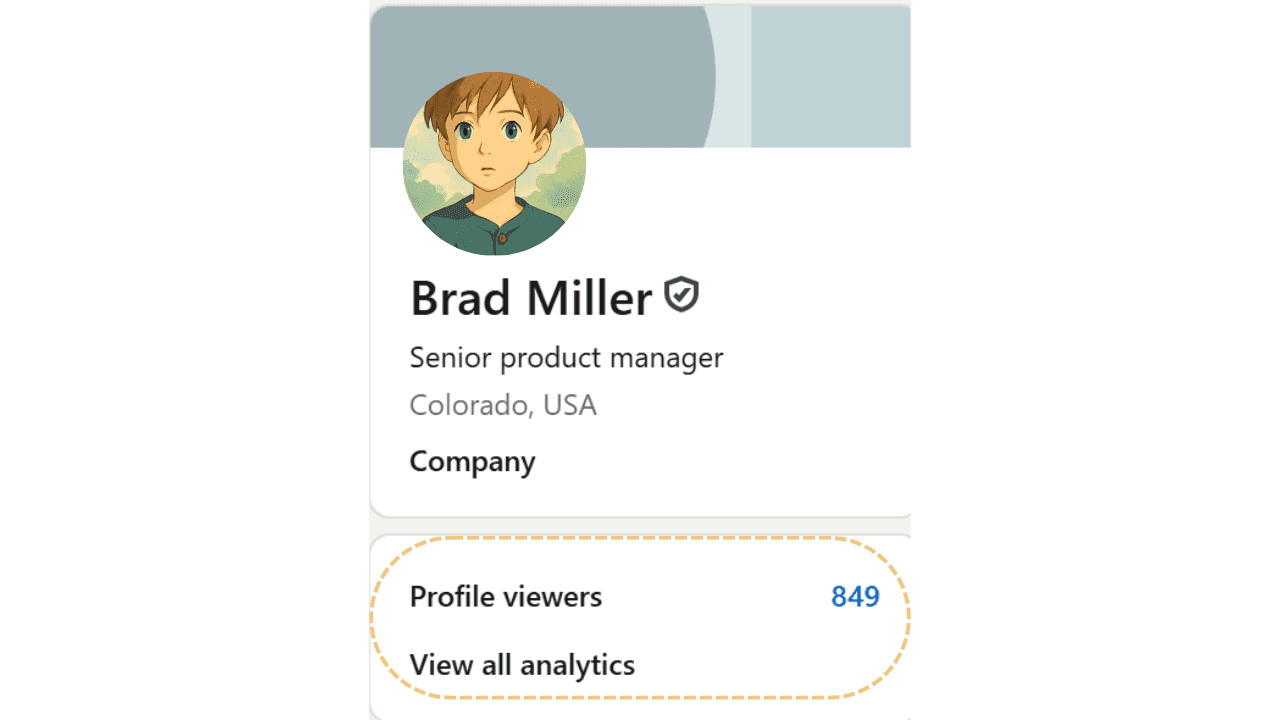
- View your post analytics by clicking on "View Stats" under any of your posts or simply check the section just below your profile image on your LinkedIn home page.
- Track patterns over time using a simple spreadsheet
- Note which types of content and topics generates the maximum impressions
Setting Realistic Goals for LinkedIn Impressions
Based on the benchmarks and context we've discussed, here's how to set appropriate impression goals:
- You should calculate your current average impressions and take decisions afterwards.
- The number of impressions you have should be equal to 20-30% of your network size as a minimum
- Target 10-15% growth in average impressions each month
- Try different formats and track which drive the highest impressions
Conclusion
So, how many impressions is good on LinkedIn? Well there's no one-size-fits-all answer, but a good rule of thumb is that your content should be able to reach at least 20-30% of your total connections or followers.
As for most professionals with 500-1,000 connections, this means 100-300 impressions should be your baseline expectation. But numbers do lie so remember that context really matters. What your industry is, What is your content type, and what’s your posting consistency, all of these affects what "good number of LinkedIn impressions" looks like.
So rather than fixating solely on impression numbers, focusing on the overall trend and how your impressions translate to meaningful business metrics like profile visits, connection requests, and conversion opportunities.
What impression numbers are you currently seeing on your LinkedIn content? Start tracking them today, apply these strategies, and watch how your professional visibility expands over time.
FAQ
What is a good number of impressions on LinkedIn?
For individual posts, 1,000–5,000 impressions is solid for accounts under 5K followers. For company pages, 500–2,000 impressions per post is average. Top-performing content from active creators can hit 10,000–50,000+ impressions.
What is the average LinkedIn impression rate?
The average LinkedIn post reaches about 5–10% of your follower count in impressions. If you have 1,000 followers, expect 50–100 impressions per post without viral engagement.
How do I increase my LinkedIn impressions?
Post consistently (3–5x/week), use strong hooks in the first 2 lines, engage with comments within the first hour, post during peak hours (Tuesday–Thursday 8–10AM), and use relevant hashtags (3–5 per post).
Do LinkedIn impressions include repeat views?
Yes, LinkedIn counts each time your post appears in someone's feed as one impression, including repeat views from the same person.
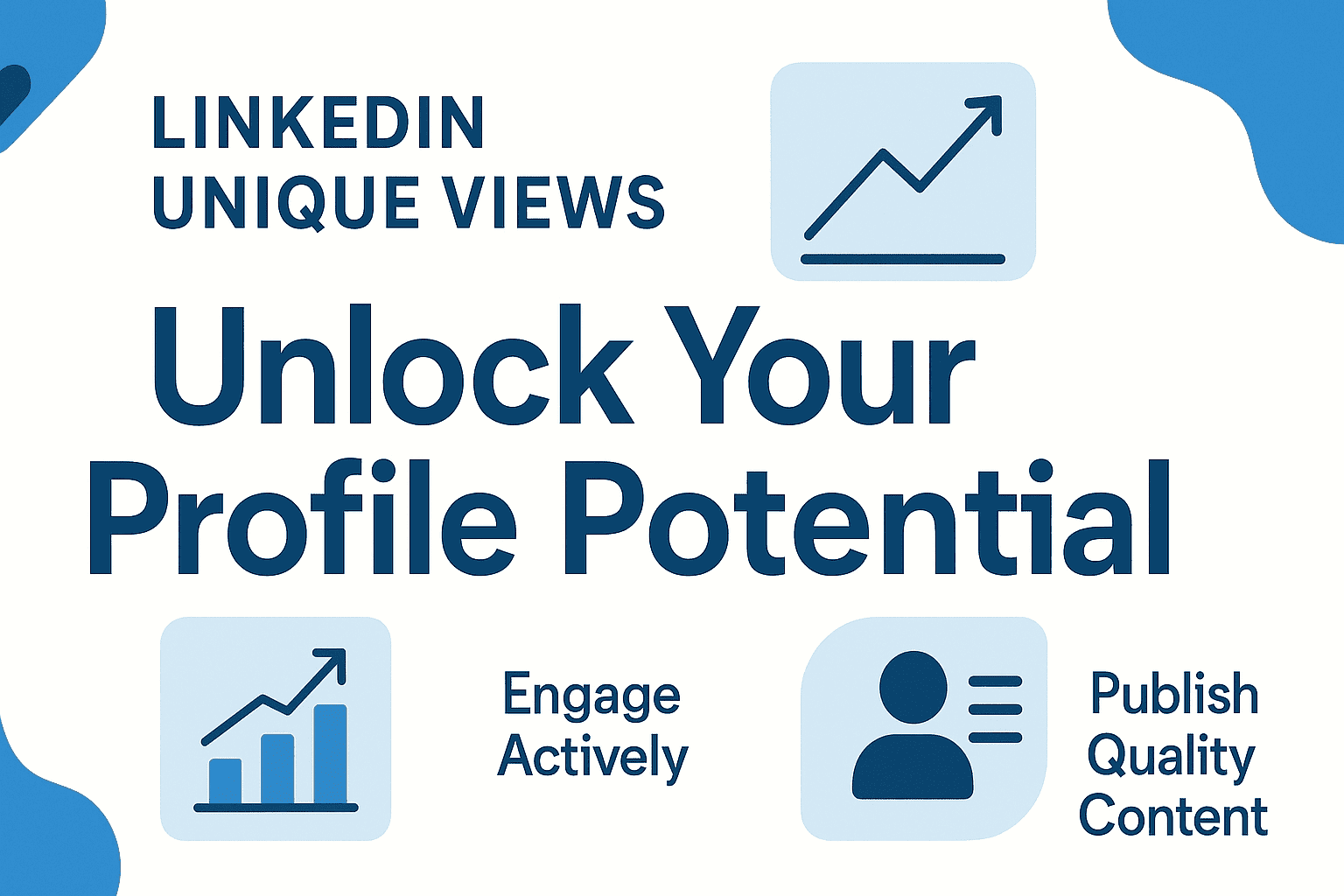
What is the difference between impressions and unique views on LinkedIn?
Impressions count total times your post was shown (including repeats). Unique views count individual people who saw your post. Impressions are always equal to or higher than unique views.
.png&w=3840&q=75)