

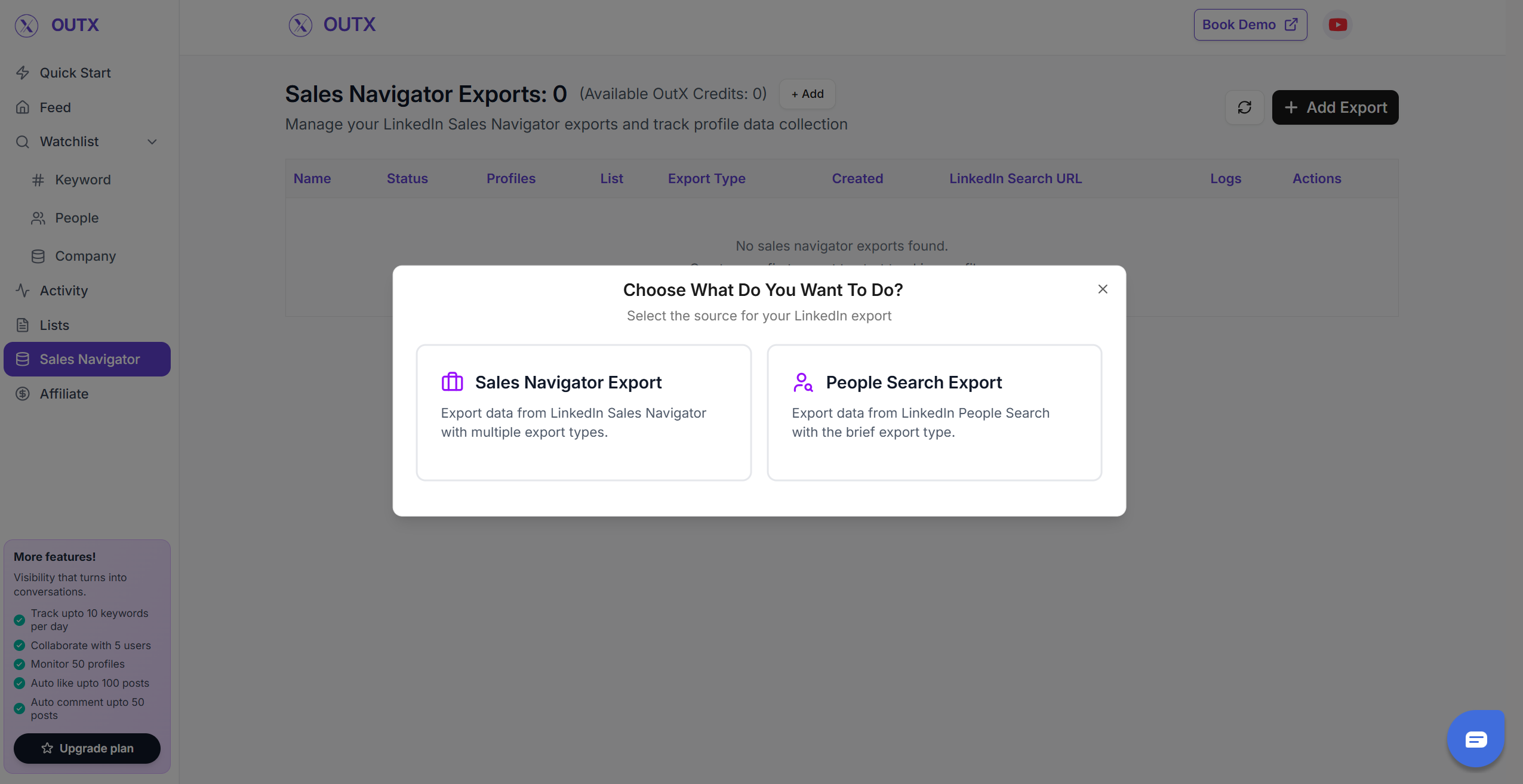
1. Select the “Type of export”
Select what you want to export from LinkedInPeople Search Export
- Using this you can scrape the profiles from LinkedIn Search results
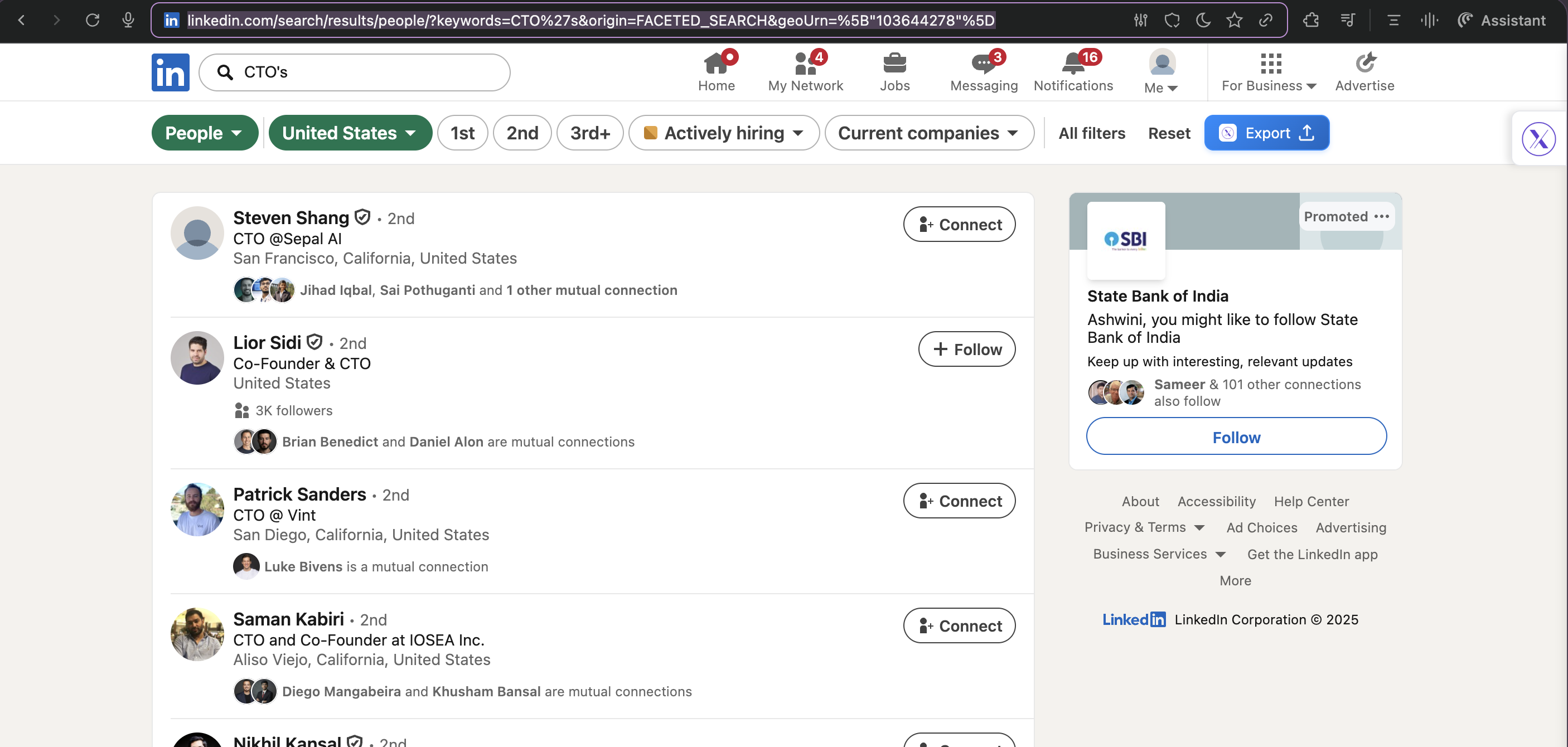
2. LinkedIn People search URL
- You can Copy the people search URL
- You can also directly press export to take the results straight to Outx.ai
2. Create your People search lead list
Fill out all the information in the form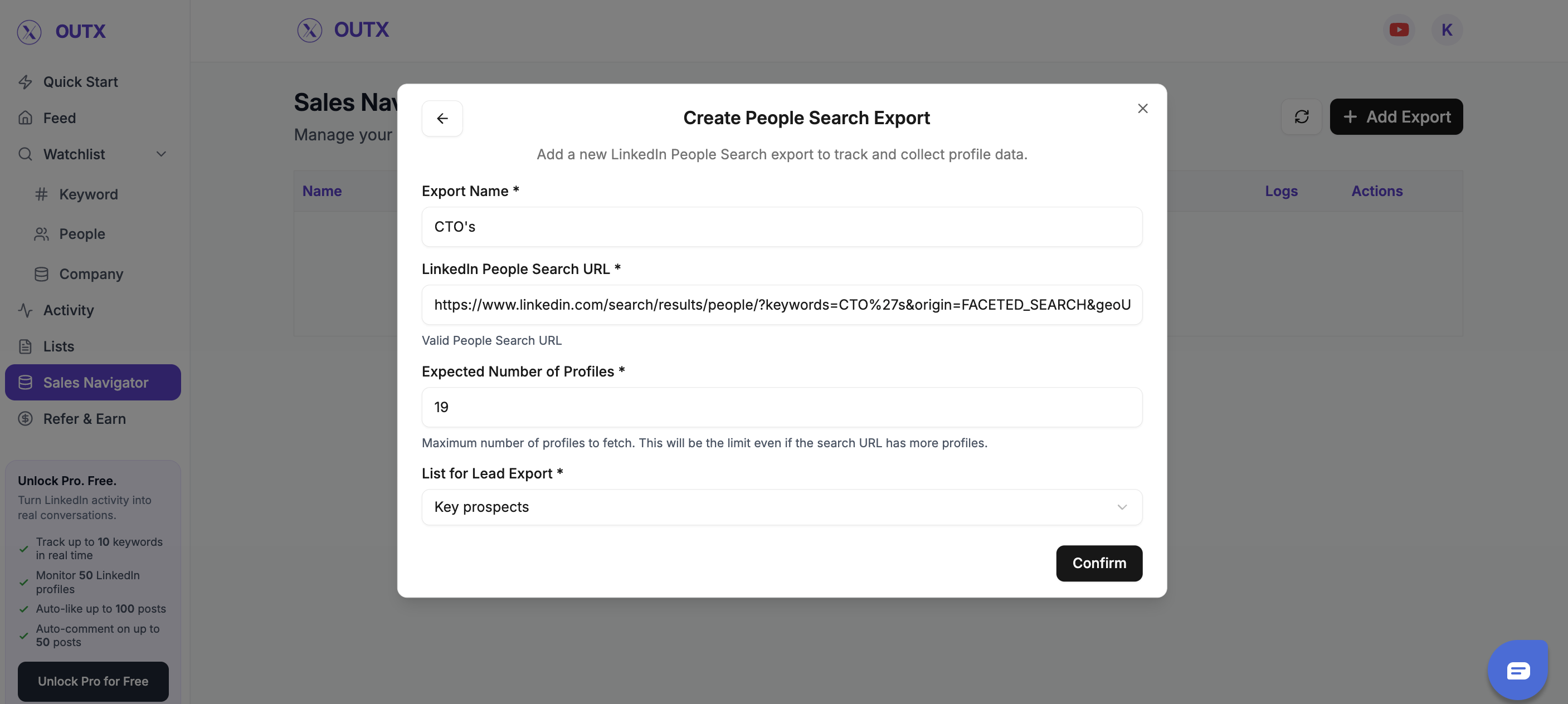
3. Download your cleaned list
After the extraction is done, you will get an email. This email will have a link to download your lead list in a CSV file.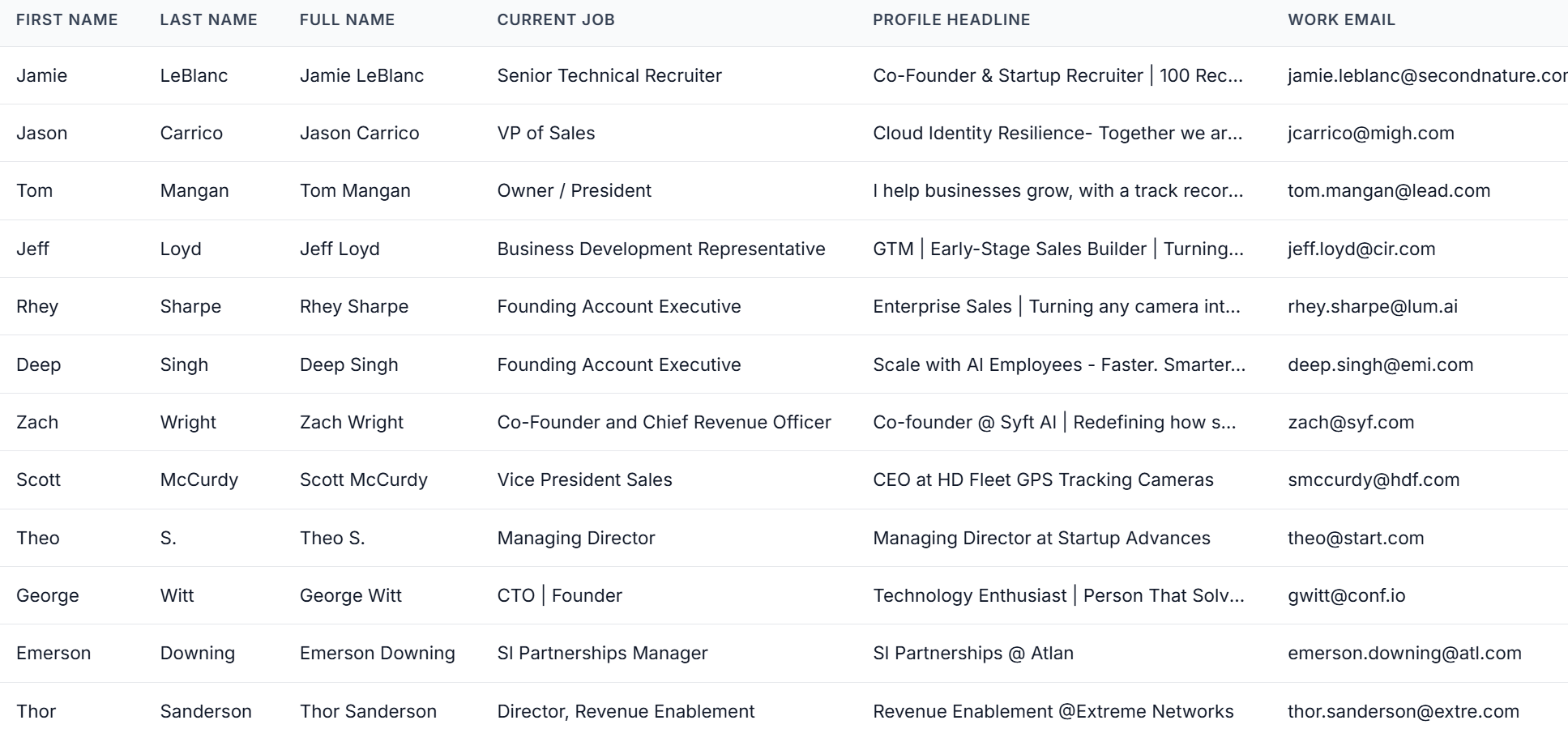
- First names
- Last names
- Company names
- Job titles
Frequently Asked Questions
What does OutX do?
What does OutX do?
OutX automates outbound by tracking intent, profiles, engagement, and exporting LinkedIn data at scale.
How many results can I export?
How many results can I export?
You can export up to 2,500 results per search from People Search.
Is auto-engagement safe?
Is auto-engagement safe?
Yes OutX uses human-like timing and throttling to keep engagement activity safe.
Can I track multiple keywords and profiles?
Can I track multiple keywords and profiles?
Yes you can track unlimited keywords, profiles, and signals simultaneously.
Do I need extensions or plugins?
Do I need extensions or plugins?
Yes. The OutX Chrome Extension is required to export data from LinkedIn People Search.
Who is OutX built for?
Who is OutX built for?
Founders, agencies, SDR teams, and operators who rely on LinkedIn for outbound.
What is the time to people search export?
What is the time to people search export?
On an average it takes 5-10 minutes to export a people search export.