How To Get Emails From LinkedIn Sales Navigator? [Bonus Section]
LinkedIn Sales Navigator is the single best source of fresh B2B leads.
But here’s the catch
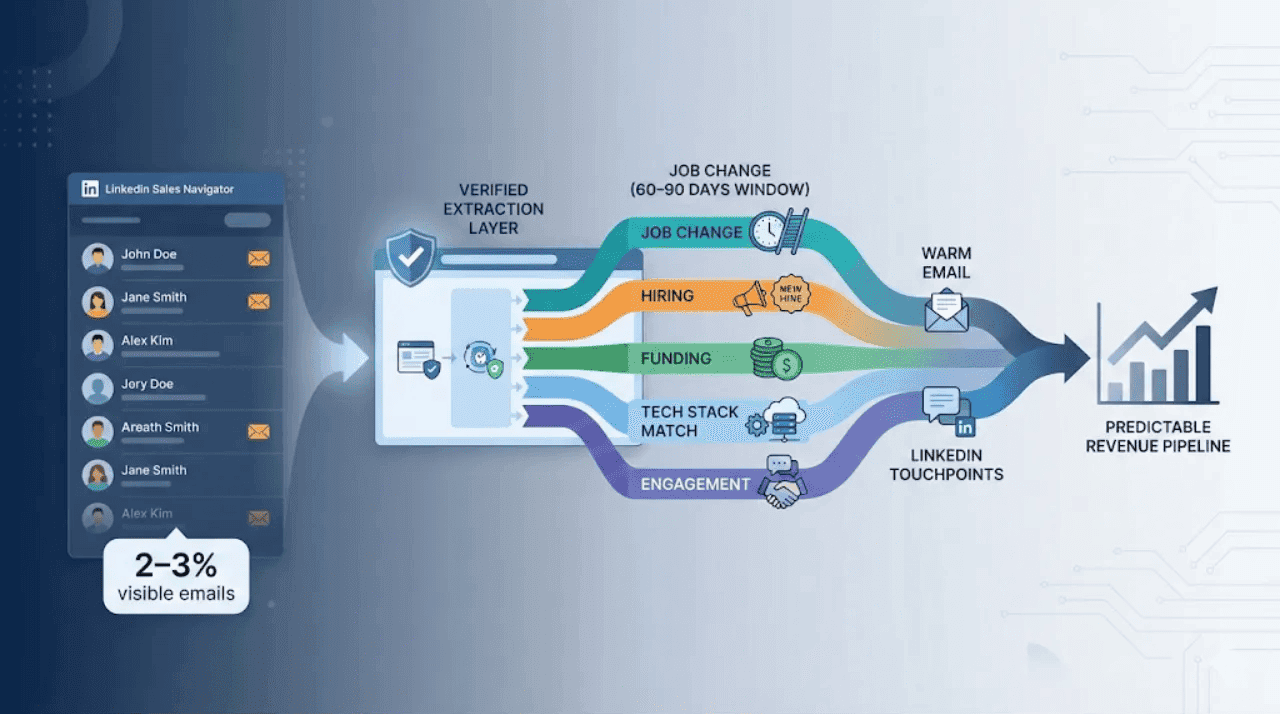
Only 2–3% of those profiles actually show an email or any reachable contact info.
So even after building the perfect lead list…
you’re still stuck with no way to reach them outside LinkedIn.
That’s why knowing the right tools and techniques to is more important than ever in 2025.
So, if you are a Founder, Sales head or Marketing director, Congratulations you came across a right resource keep reading till the end.
In this blog we’ll cover 5 best techniques to get your next lead data and make your best convert.
But before that you must learn “How to use LinkedIn Sales navigator” to get your ICP profiles.
Existing Ways People Try to Get Emails from LinkedIn
Everyone wants the same thing from LinkedIn Sales Navigator:
“Show me the emails so I can actually contact these people.”
But the truth? Most people rely on methods that feel like doing cardio with ankle weights.
Let’s break them down.
Checking manually on all profiles
Sometimes you get lucky. Most of the time?
Open profile → click “Contact Info” or “About section” or ”LinkedIn banner” → pray something shows up.

You get a personal Gmail from 2012 or a dead phone number.
If you’re working a list of 50 people, fine. If you’re working a list of 500… welcome to the world’s worst part-time internship.
Pattern Matching
Most companies use the same pattern for all the emails of their employees
But the moment you hit a company using initials, middle names, or random legacy formats, your hit-rate dies.
Exporting leads → enriching via CSV → slow + not scalable
This is the default move for most teams.
Build a Sales Navigator list → export CSV → run it through an email enrichment tool like apollo.io→ fix errors → re-upload → clean duplicates → verify.
It’s basically an assembly line of inefficiency.
If one column breaks?
Your entire workflow breaks.
All of these methods “work”… but they’re slow, inconsistent, and absolutely not scalable once you start building real pipeline volume.
Modern teams need something that:
- pulls emails in batches,
- verifies automatically,
- updates daily as people switch jobs,
- runs inside the browser for safety and compliance,
- and doesn’t require five tools duct-taped together.
That’s why new-age, browser-side tools like OutX.ai are becoming the default stack for sales, recruiters, and growth teams they eliminate the manual scavenger hunt and turn Sales Navigator into a clean stream of verified, ready-to-work leads.
How OutX.ai Helps You Extract Verified Emails from Sales Navigator?
Here’s how modern teams optimize their emails findings from Sales Navigator in bulk:
- Install Outx.ai Chrome Extension
- Export your leads from Linkedin Sales Navigator
- Download your email list
Install Outx.ai Chrome Extension
Go to Outx.ai/chrome-extension, signup and download the Outx.ai’s Chrome Extension.
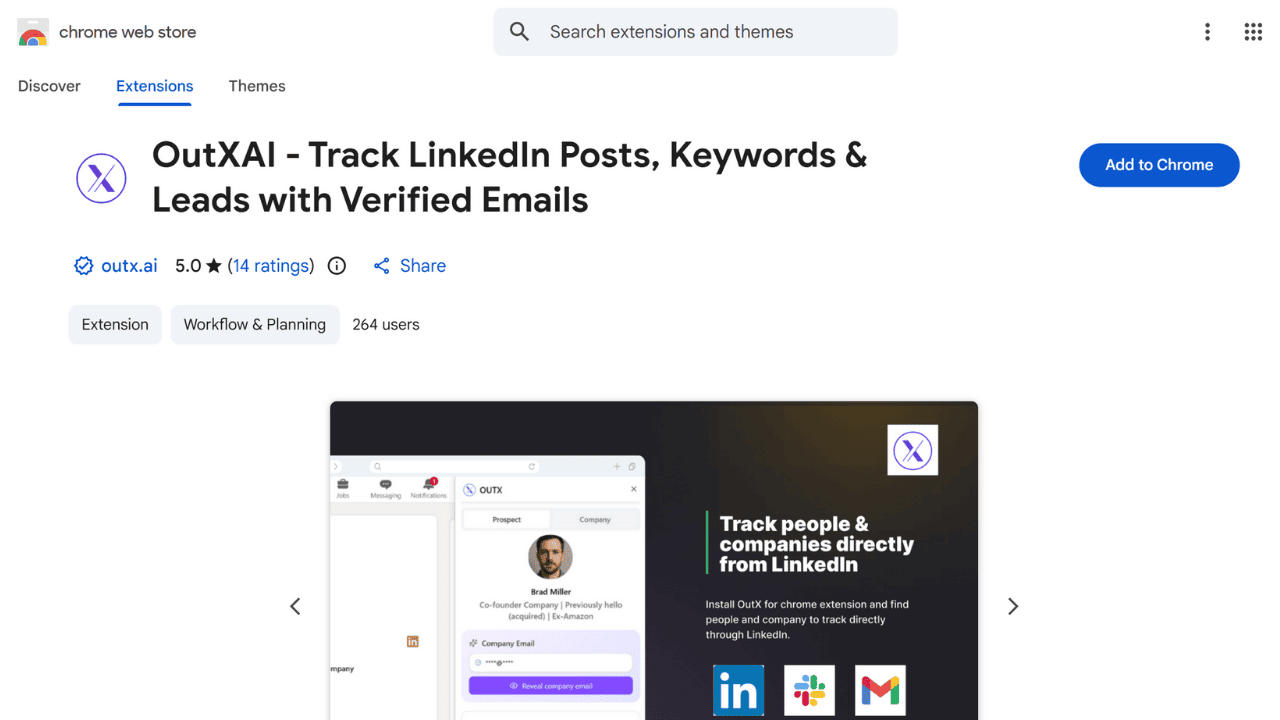
After installing Outx.ai chrome plugin you’ll see an export option on your LinkedIn sales navigator.
Export your leads from Linkedin Sales Navigator
Once you see that you can export your lead list in 2 ways:
- Copy the linkedin sales navigator URL

- Press export after applying all the filters and narrowing down to you ICP.
.png&w=3840&q=75)
After this Outx.ai lets you extract upto 5K profiles
5 Best Techniques to Get Verified Lead Data from LinkedIn Sales Navigator
At this stage, you already know why extracting emails from Sales Navigator matters.
So let’s move from the “why” to the exact methods modern sales and growth teams use today to get verified, usable contact data consistently.
1. Use browser-side email extractors (fastest and safest method)
The most efficient way to export verified emails is by using a tool that works directly inside your browser while you’re on Sales Navigator. Because the process happens inside your own LinkedIn session, it avoids risky API scraping and maintains account safety.
It also eliminates the usual CSV maze of exporting → enriching → cleaning → re-uploading.
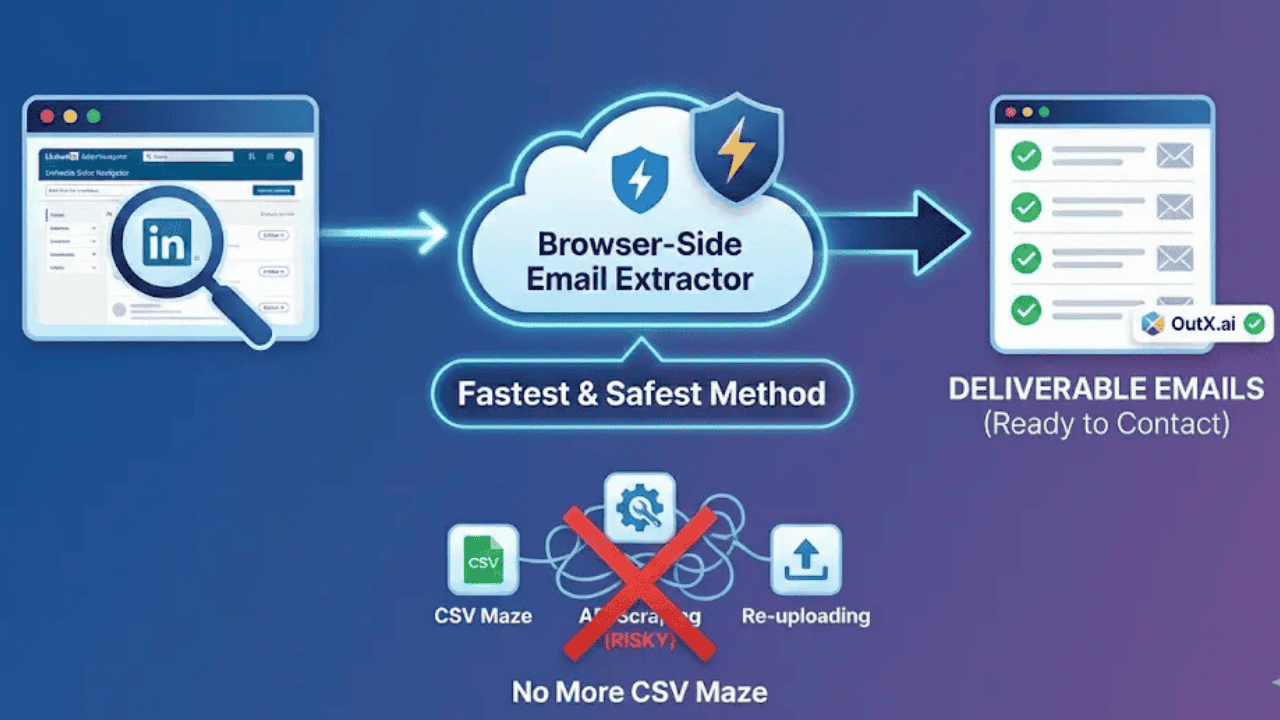
Tools like OutX.ai match and verify emails automatically in real time, which means the list you download isn’t just “emails” it’s deliverable emails you can contact immediately.
2. Focus on job-change triggers for dramatically higher conversions
When someone has just started a new role, they are far more willing to evaluate new vendors and workflows. They’re setting new KPIs, restructuring processes, and usually have budget available.
Reaching a prospect during the first 60–90 days of their role consistently produces significantly higher reply and meeting rates.

So the goal isn’t only to extract emails it’s to extract emails at the exact moment the prospect is most likely to respond.
3. Filter by tech stack to target prospects who already fit your offer
Almost everyone filters by industry and seniority which is why inbox competition is brutal. The smarter approach is to target prospects based on the tools their company already uses.
If your solution integrates with HubSpot, target companies that already run HubSpot.

When the tool environment matches your product, your messaging becomes instantly relevant, and your outreach ceases to feel cold.
4. Reach the full buying committee instead of betting everything on one title
Most deals don’t progress or die because of one decision maker they happen because multiple internal stakeholders agree that solving a problem is worth it. If only one person inside the company is contacted, momentum stalls the moment that individual gets busy, blocked, or disinterested.
Instead, export emails for:
- The operator who feels the pain daily
- The manager who owns the metric
- The executive who signs off
- The end user who will adopt the product

The more people inside the account who know you, the harder it becomes for inertia to kill the deal.
5. Warm prospects on LinkedIn before sending the first email
A cold email is not really the problem the problem is being a stranger. Before emailing someone, spend a short period building micro-familiarity on LinkedIn.
Visit the profile, react to a post, leave a thoughtful comment, or congratulate them on a work milestone.

When people recognize your name from past interactions, your email doesn’t feel unexpected or intrusive. The copy doesn’t need to be perfect; the familiarity does most of the heavy lifting.
Mistakes People Make After Extracting Emails from Sales Navigator
Getting verified emails is only the first part of the job.
What happens after the export determines whether that list turns into pipeline or into silence.
These are the mistakes that silently kill reply rates even when the leads and emails are perfect.
1. Sending the same message to everyone on the list
Most outbound fails not because of deliverability…
but because every prospect receives the exact same message.
If the VP of Marketing, the SDR Manager, and the CEO all get identical copy, your email immediately looks automated which means ignorable.
People don’t want personalization about their LinkedIn profile.
They want personalization about their situation.
The moment they feel the email couldn’t have been written to someone else, replies jump.

2. Pitching immediately instead of building relevance first
Here’s the reality: most prospects don’t ignore cold emails because they hate cold outreach.
They ignore them because they don’t understand why the message is relevant right now.
When someone extracts emails and instantly sends:
“We help companies like yours increase X… can we get 15 minutes?”
they skip the step that earns attention.
The fix is simple:
- Mention the trigger
- Reference the context
- Tie your outreach to timing
The pitch doesn’t need to be smaller.
The reason for reaching out needs to be clearer.
3. Relying only on email and ignoring LinkedIn touchpoints
A lot of people extract the data → switch channels → and forget LinkedIn entirely.
That’s a missed opportunity.
Prospects are more likely to reply to an email if:
- They’ve seen your name before
- They’ve interacted with you on a post
- They’ve been congratulated on a milestone
A little familiarity makes a big difference:
Cold message → ignored.
Recognizable name → answered.
Spark recognition first. Outreach becomes 3× easier.

4. Treating a good list like permission to send high volume
Most teams extract a great list and then destroy it with aggressive sequencing.
Flooding someone’s inbox doesn’t create urgency it creates resistance.
The best outbound today is:
- Helpful
- Low friction
- Consistent
- NOT desperate
Good leads don’t respond faster when the pressure increases.
They respond faster when the message makes sense.
Outbound isn’t about pushing harder.
It’s about removing reasons to say no.
5. Not segmenting by triggers or intent level
A list isn’t a list.
A list is groups of people in different situations.
Someone who just joined a company doesn’t need the same message as someone hiring aggressively or someone who just posted about a pain point.
Segmentation doesn’t need to be complicated:
- Job change segment
- Hiring segment
- Funding segment
- Tech stack match segment
- Engagement segment
Same product.
Different timing.
Different context.
Different messaging.

If outbound had one universal rule, it would be this:
Replies don’t happen because you send more emails.
Replies happen because you send the right email to the right person at the right moment.
The good news?
Once you master email extraction and avoid these mistakes, Sales Navigator becomes something better than a list-building tool it becomes a predictable pipeline engine.
Conclusion: From “Lead List” to Revenue Engine
By now, you’ve seen the full picture of why Sales Navigator is the deepest B2B database on the planet and why extracting verified emails is the only way to turn that database into actual pipeline.
Most people get stuck in the same loop:
build lists → struggle to get contact info → burn hours on manual processes → send rushed outreach → see low replies → assume outbound is dead.
It isn’t. Inefficient outbound is dead.
The teams who are winning in 2025 aren’t doing more activity.
- They’re doing smarter activity.
- They’re extracting emails the right way.
- They’re using timing signals instead of random blasts.
- They’re treating a list like a set of situations, not a bucket of names.
And they’re designing outreach around relevance not pressure.
Once you see outbound through that lens, Sales Navigator stops being just a place to “save prospects.”
It becomes a predictable system for finding the right people at the right moment and starting conversations that matter.
If you take only one thought from this entire guide, let it be this:
Outbound doesn’t scale because you send more messages.
Outbound scales because your message makes sense at the moment it arrives.
Verified email extraction is simply the unlock that allows everything else to work:
- Job-change trigger outreach
- Tech-stack targeting
- Buying committee sequences
- Warm-touch multi-channel loops
Those plays become possible only when you can reach people where they prefer to reply their inbox.
So don’t let the value of your Sales Navigator lists die inside a browser tab.
Use the strategies in this guide to extract emails, segment based on triggers, build micro-context, and run outreach that sounds like it was written for one person not a thousand.
Sales Navigator gives you the who.
Verified data gives you the how.
Your messaging gives you the why.
Put those three together, and outbound stops feeling like chasing prospects and starts feeling like attracting them.
Bonus Section: Cold Email Templates That Actually Work in 2025
Once you extract verified emails, the next challenge isn’t sending more emails it’s sending the right email for the right situation.
Below are plug-and-play templates designed for the most common outbound triggers from Sales Navigator.
No fluff.
No paragraphs that read like novels.
Just messages that get replies.
1. Job Change / New Role Template (highest conversion trigger)
Subject: Quick note on your new role
Hey {{First Name}}, congrats on the move to {{Company}} must be a big quarter for you.
Not sure if this is on your radar yet, but most people in {{Role/Department}} focus on fixing {{pain relevant to new role}} in their first 60–90 days because it moves early numbers fast.
If that’s something you’re thinking through, I’m happy to share what’s working for others in {{industry}} zero pitch.
Worth a quick look?
{{Your Name}}
2. Hiring Spree Template (the “operational pressure” trigger)
Subject: Saw you’re growing fast
Hey {{First Name}}, noticed you’re hiring {{department or role type}} pretty aggressively exciting momentum.
When teams scale this fast, {{specific operational pain}} usually hits before the new hires settle in. I’m talking based on what we’re seeing across {{industry}}.
If you’re already ahead of this, awesome.
If not, happy to send a short breakdown of how other {{similar companies}} handled it during a hiring surge.
Want it?
{{Your Name}}
3. Funding Announcement Template (budget window trigger)
Subject: Post-round priorities
Hey {{First Name}}, just saw the {{Series/Seed/round type}} announcement big milestone for you and the team.
Most {{role type}} I talk to use the first 90 days post-round to upgrade {{specific workflow/tooling relevant to your offer}}, since that’s when budgets and roadmaps are getting finalized.
If {{pain point}} is on your list, I’d be glad to share a short framework that’s helped other funded teams reduce time to value.
Worth sending over?
{{Your Name}}
4. Tech Stack Match Template (the “you’re already half-qualified” trigger)
Subject: Question about your {{tool name}} setup
Hey {{First Name}}, saw that {{Company}} is running {{Tool/CRM/Tech}} curious how you’re currently handling {{specific workflow related to your offer}} within that setup.
A lot of teams using {{Tool}} hit {{pain point}} around {{situation}} once they scale past {{team size / customer count}}, so I figured it might be useful to compare notes.
No pitch happy to send a 2-minute breakdown if you want to see what’s working best with {{Tool}} right now.
Up for it?
{{Your Name}}
5. Prospect Engaged on LinkedIn Template (comment → email → reply pattern)
Subject: Saw your take on {{topic}}
Hey {{First Name}}, came across your post about {{topic}} really liked your point about {{specific line you reference}}.
That’s actually the same pattern we’re seeing across {{industry}} when it comes to {{pain point}}, so figured I’d reach out.
If you’re thinking about solving {{pain}} this quarter, I’m happy to send a quick breakdown of what others are doing that’s moving the needle (not a pitch just trends we’re seeing).
Want me to forward it?
{{Your Name}}
FAQs About Extracting Emails from LinkedIn Sales Navigator
1. Is it safe to extract emails from Sales Navigator?
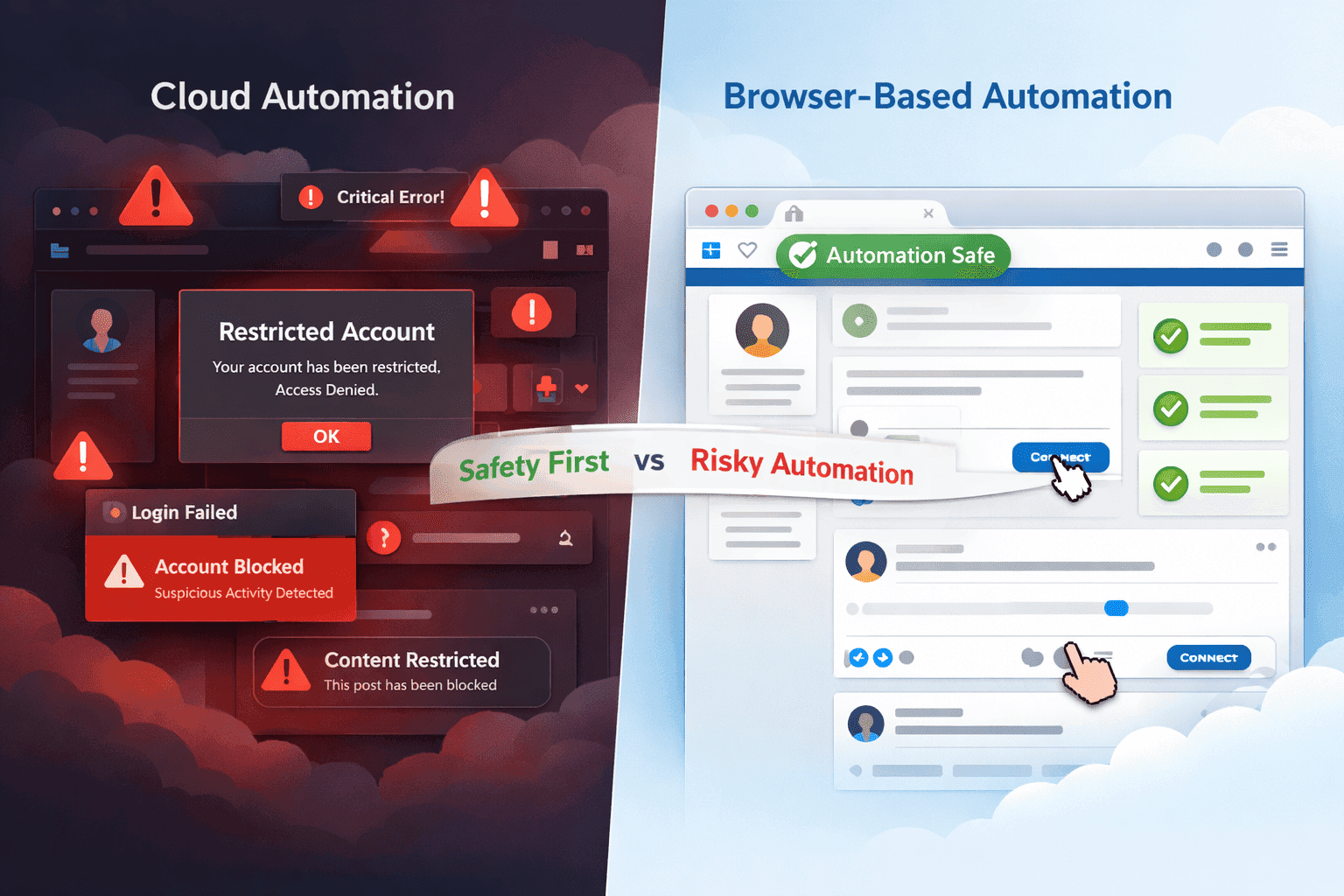
Yes as long as the extraction happens inside your own browser session and follows normal usage limits. Risk only appears when tools scrape LinkedIn servers or automate actions beyond allowed thresholds. Browser-side extraction is the safest method.
2. Will my LinkedIn account get restricted or banned?
Accounts normally get flagged when users automate profile visits, connection requests, or scraping at high speed. Email extraction alone, done inside the browser without aggressive automation, does not violate usage patterns. Always avoid tools that “log in for you” via remote servers.
3. Is extracting emails GDPR-compliant?
It depends on how the tool collects and stores data. Browser-side tools that do not store personal data on external servers and only process data locally for the user are generally aligned with GDPR principles. The user must still ensure lawful outreach practices afterward.
4. How many emails can I extract from Sales Navigator?
There is no hard limit inside Sales Navigator itself. The number you can extract depends on the tool and your plan. Practically, most teams extract list sizes between 500 and 5,000 at a time because it’s easier to segment, personalize, and track replies.
5. Do verified emails guarantee replies?
Not automatically. Verified emails only guarantee deliverability not interest. Replies come from timing, relevance, and segmentation (job changes, hiring spikes, tech stack alignment, recent posts, etc.).
6. Do I need to enrich the CSV afterward?
If you extract using legacy CSV workflows, yes, enrichment and verification are needed. If you extract using modern browser-side tools that match and verify automatically, enrichment becomes unnecessary.